If you are new to AutoCAD Utility Design, view the Getting Started Videos first to get an introduction. Once you have used the program for a while, you can improve your skills by viewing the videos on this page.
Display Load Calculations
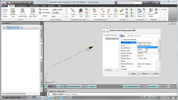
- Use tables of building types and loads defined by your organization.
- Import table data from Microsoft Excel or another spreadsheet program.
- Create your own rules to display the load information.
- Set the building type when you draft a service point to a building.
- View and update the load in Quick Info.
For more information, see To Configure Tables and About Rule Points.
Resolve Design Errors Automatically
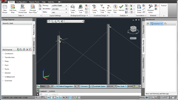
- Resolve drafting issues without seeing any validation errors.
- Turn Auto Resolve on/off with a single click.
- Override Auto Resolve for specific features.
- Disable Auto Resolve for specific areas of your design (such as guying).
For more information, see About Design Validation.
Update Shared Attributes for Multiple Features
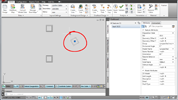
- Change attribute values for all selected features.
- Copy and paste attributes from one feature to another.
- Copy to multiple features.
- Display and update attributes shared by features of different types.
For more information, see To Edit the Same Attribute Across Multiple Features.
Add a List of Materials to an Annotation
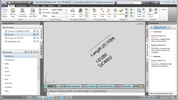
- Display a list of materials for any device or structure.
- Create your own rules to extract data from the materials list.
- Combine materials and attributes in a single annotation.
- Display materials contained within a structure such as a segment.
For more information, see To Configure Material List Annotation.