Select this menu option to create weave reliefs. The Tool Settings: Weave Tool panel is displayed. A weave shape consists of overlapping swept profiles and is created from at least two vectors.
 button on the
Relief Creation toolbar is a shortcut for this menu option.
button on the
Relief Creation toolbar is a shortcut for this menu option.
The vectors you select for the drive rails can be open or closed. You must also select a vector to define the cross-section of the weave shape. ArtCAM automatically extrudes the cross-section along the drive rails, scaling its height up and down at each intersection to provide a perfect inter-linked, over-and-under weave effect.
In the following example, you can see how a weave shape is created by extruding the relief along a vector in the shape of a weave pattern.
|
Before
|
After
|
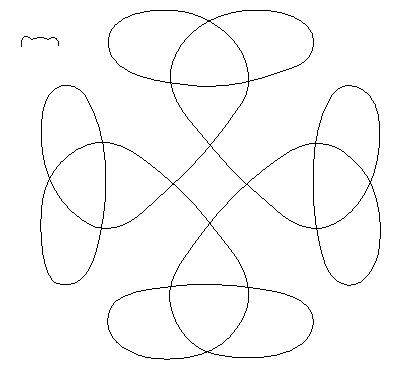
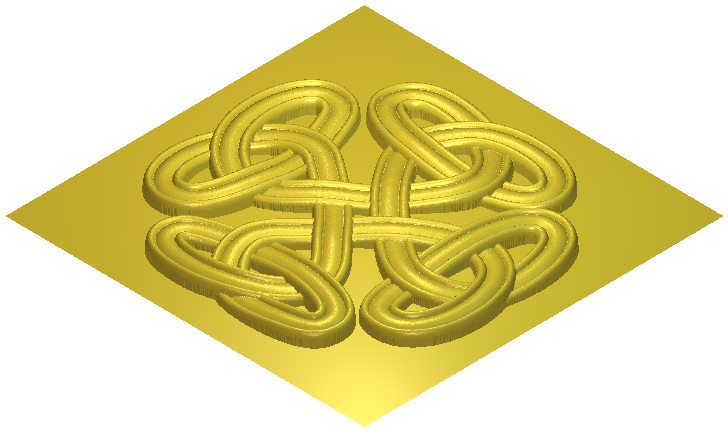
The Tool Settings: Weave Tool panel contains the following settings:
- Set Drive Rails — Click to set the selected vectors as drive rails. These vectors control the shape of the weave. Click
 to reverse the direction of the drive rail vectors
- Set Cross Section — Click to set the selected vector as the cross-section of the weave. You can only have one cross-section. If a valid cross-section is selected, the cross changes to a check mark.
- Crossing options
- Length of Crossover — Enter the length of the crossover. The crossover is the section of the drive rail that underlies or overlaps at intersections.
Relative to cross section — If selected, the length of the crossover is a multiple of the cross-section's length. If deselected, the length of the crossover is an absolute distance.
- Depth of underpass — Enter a value to determine the depth of the cross-section where it underlies an intersection. This value is a percentage of the cross-section height. If the cross section is 10mm tall, a Depth setting of 10% drops the line passing under another line by 1mm at the bottom of the crossover.
- Height of overpass — Enter a value to determine the height of the cross-section where it overlaps at an intersection. If the cross section is 10mm tall, a Height setting of 50% adds another 5mm to the height of the extrusion at the top of the crossover.
- Length of Crossover — Enter the length of the crossover. The crossover is the section of the drive rail that underlies or overlaps at intersections.
- Corner Shape — Select the shape of the corners in the weave.
- Round — Select to create a weave with rounded corners.
- Square — Select to create a weave with squared corners.
- Relief Combine Mode — Select how the relief combines with the active relief layer.
- Add — Select to add the weave relief to the active relief layer.
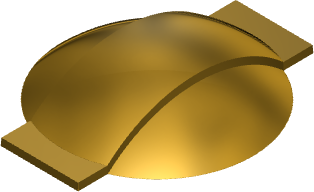
- Subtract — Select to subtract the weave relief from the active relief layer.
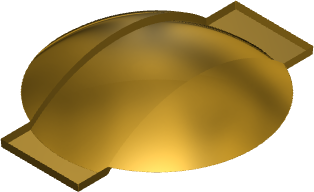
- Merge high — Select to merge the weave relief with the active relief layer, so that only the highest points show.
- Merge low — Select to merge the weave relief with the active relief layer, so that only the lowest points show.
- Replace — Select to replace the active relief layer with the weave relief.
Note: The combine mode selected here controls how the weave shape is combined with the selected relief layer only. It does not control how the weave shape is combined with the composite relief. How the weave shape is combined with other relief layers to form the composite relief is determined by the combine mode assigned to the layer. - Add — Select to add the weave relief to the active relief layer.
- Apply — Click to combine the relief with the active relief layer.
- Cancel — Click to reset the relief and close the Tool Settings: Weave Tool panel. Any changes made to the vectors when the Weave Tool was open, are retained.