Tooltip settings control asset tooltip visibility and the delay time before displaying second-level tooltip information.
To set these options:
- Select
Asset ToolTips in the Navisworks
Options Editor dialog:
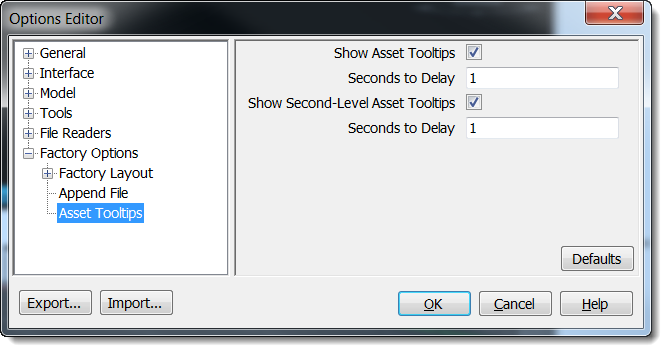
- Leave the Show Asset Tooltips option selected if you want tooltips to display when you hover over an asset. If you are familiar with the assets you use and do not need them to display, click the checkbox to clear the selection.
- Enter the number of seconds to delay before showing a tooltip when you hover over an asset. This setting prevents tooltips appearing each time your mouse moves over an asset. For the tooltip to display, hover the mouse over the asset for the period specified here.
- Select Show Second-Level Asset Tooltips to also show custom properties in the tooltip.
- Enter the number of seconds to delay the second-level content display.
- Click OK.