Search features included in Factory Design help you to locate specific assets in your layout and within the asset library.
Searching for Assets in Your Layout
The Asset Instance Search feature locates assets matching the search criteria you enter and highlights them in your layout for easy identification.
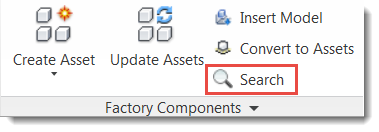
- Click
Search on the
Factory tab:
- Select the search category from the drop-down menu. You can search by asset properties, descriptors, tags, or all asset data.
- Type the keyword to search for in the field to the right of the drop-down and press
Enter. The search results display. Hover over a result to highlight the corresponding asset in the layout.
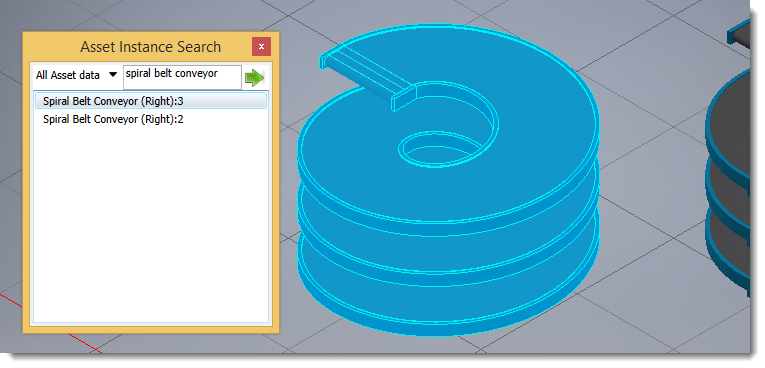
If an asset property includes a parameter expression, you can search on the expression or value. For example, if an asset descriptor includes the expression =Length is <Length> you can search for "Length is 60 in" or "Length is" or "60 in" to find assets matching that criteria.
Using Select to Locate Same or Similar Assets
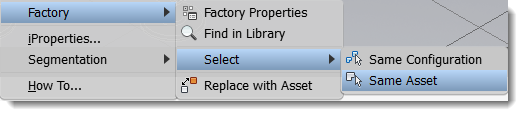
- Same Configuration: Selects assets with the same asset ID and identical parameters.
- Same Asset: Selects assets with the same asset ID, but with different parameters.
Right-click on an asset in the layout to access the context menu.
Finding an Asset's Library Location
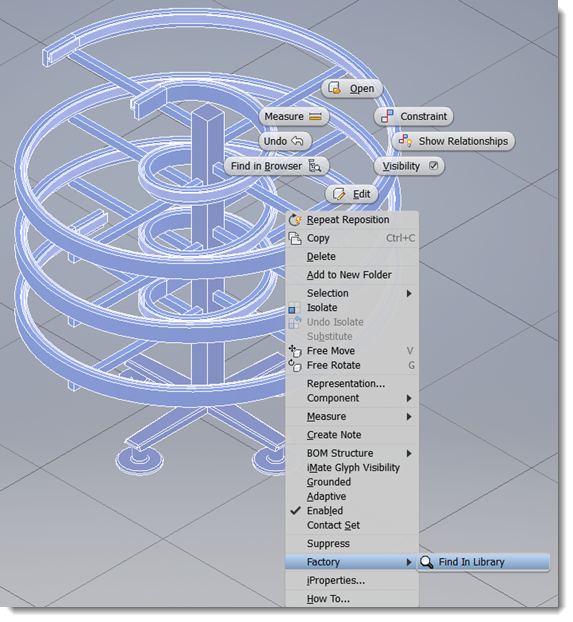
If you ever need to find out where a placed asset is located in the asset library, perhaps to edit the asset or make copies, right-click on the asset in the layout and select Factory > Find in Library:
The Asset Browser opens to the asset's location in the library. Right-click on the asset in the browser to view available options such as Explore, Preview, Move, and Copy.
Searching for Assets in the Asset Browser
The search tool in the asset browser provides a continuously refined search as you enter the search criteria.
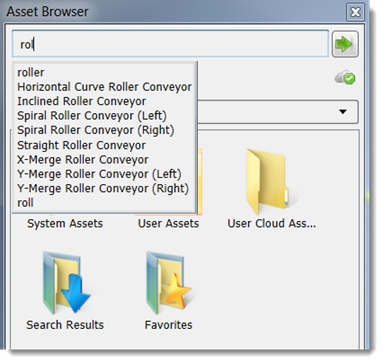
- In the Asset Browser, enter the component name or a property value into the Search field at the top of the browser. When searching on property values, Name, Author, Category, Comments, Company, Keywords, and Title properties are searched.
- As you enter text, a list of valid search terms dynamically displays.
- Select a search term or complete the search phrase and click
Search assets
 . The search results display in the browser area below the browser controls.
Once a search is conducted, a Search Results folder is added to the Asset Browser. The folder contains the asset that was found. The component is stored in the folder until the next search is conducted when it is replaced with the new search result. A component can be selected from the Search Results folder and placed in the factory layout.
 node in the Asset Browser, and selecting Update Assets or
Download Assets from the context menu.
node in the Asset Browser, and selecting Update Assets or
Download Assets from the context menu.
Sorting Assets
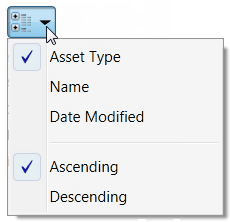
You can expedite the search for an asset by sorting the assets by type, name, or modification date. You can also choose to display the sorted assets in an ascending (the default) or descending order. The sorting method you choose is persistent; that is, it remains in effect during subsequent sessions of AutoCAD Factory. Click the down arrow on the Sort by icon just to the right of the Thumbnail/Tree Views buttons to display a drop-down menu of sorting options.