Flame 2018.3 Update Highlights
 |
 |
 |
 |
|
Action Selectives
|
Motion Warp Tracking
|
Scopes
|
3D Scene Stingray PBS Material Import / Export
|
Navigation tips:
- Make sure to check http://www.autodesk.com/flame-docs for the latest Flame Family documentation (including Installation Guides, Release Notes, and other documents).
- Many new feature videos (as well as other workflow videos) are available at
https://www.youtube.com/user/FlameHowTos. This Learning Channel is updated frequently, so be sure to subscribe or bookmark the page. Links to specific 2018.3 Update videos are denoted by this icon:

- In this What's New topic,
 indicates a new feature or enhancement that was suggested and voted up by Flame users on the Flame Feedback portal:
http://flamefeedback.autodesk.com (also accessible directly from the
menu).
indicates a new feature or enhancement that was suggested and voted up by Flame users on the Flame Feedback portal:
http://flamefeedback.autodesk.com (also accessible directly from the
menu).
- Look for the
 tag throughout the documentation for sections indicating new or updated 2018.3 Update content.
For details on all the new features and enhancements in this release, follow the links to navigate to the sections below:
- AAF Conform
- Action
- Action Selectives
- Batch and Batch FX
- Configuration
- Connected Conform Workflow
- Keyboard Shortcuts
- Look Node
- Lustre
- Matchbox
- MediaHub
- Media Import
- Media Export
- Open Clip/Open Clip Creator
- Player
- Project & User Management
- Python API
- Python Hooks
- Scopes
- Shotgun
- Timeline/Timeline FX
- Tools
- Viewing
- Wiretap
AAF Conform
- A new option is available in the Assemble Options section of the AAF & XML Import Options: Keep Group as Container. When enabled, Grouped Clips are seen as Containers; the whole group is imported and available inside a Container. When the option is disabled, only the selected part of the group is in the sequence, without a container.
- Content located in Container is now shown without handles. Handles are added based on the Limit Handle option, or on the available media when relinking. This allows relinking sequences, even if source media is not available for the whole duration.
- The AAF sequence information displayed in MediaHub now includes its resolution, bit rate, rate sampling, and the number of video and audio tracks.
- Grouped Clips conformed in a Container, such as Multi-Cameras, now show the correct content.
- Animated resize effects from Avid Media Composer are now translated to 2D Transform effects.
- Effects translated to 2D Transform no longer have a Comp effect added to the result.
- Adjusted clips are no longer converted to containers when conforming AAF files from Avid Media Composer. This applies to both video and audio segments.
Action
Tracking Enhancements
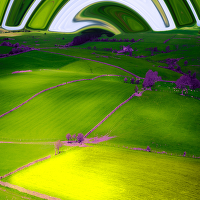
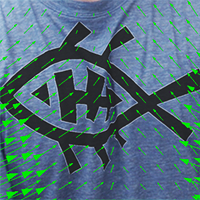
- You can now generate motion vectors directly from the Motion Vector Map objects by using the new Analysis mode. In this mode, the expected input is a regular RGB image sequence, similar to what is used in the Motion Analysis node in Batch. See
Motion Vectors Mapping.
For more details, see this playlist from the Flame Learning Channel:
Motion Warp Tracking.
- UV Reference Tracking is now also available for flat Surfaces. To do so, the Surface must have a valid connection to a Motion Vector map. You can use the new Analysis mode to create the Motion Vector from within Action, and use Motion Integration for automatic UV tracking.
- A new Motion Warp option is available in the Tracking Mode list of the GMask node. Select UV Warp and connect a Motion Vector map to the GMask object to automatically track the GMask result.
- A new Tracking menu allows you to Motion Warp a Surface, using the results from a Motion Vector map connected to the Surface.
- You can now set multiple Reference frames and offset the camera on the Projector object. This increases the flexibility of Motion Warp tracking by providing multiple projection reference frames for interpolation. Multiple Reference frames are also available to 3D geometry tracking, and to any surface with a Motion Vector map.
- You can now connect a Projector to a Camera. This parenting allows the Projector to default to the FOV, Near, Far, and transformation of the Camera.
FBX Import/Export Improvements
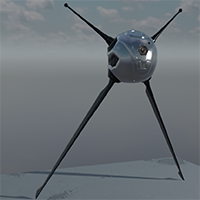
- PBS shading from Maya, 3DS Max, and Stingray is now supported in Action, using FBX import and export. This ensures physically based rendering parity and assets exchange between all applications.
Viewport Improvements
- By default, Axis Manipulators are now 50% smaller than they used to be.
- An axis is now always drawn inside the centre box of the Translate widget, allowing you to precisely set the axis where it needs to be, even with scale set to 0.
Media List Improvements
- If media is read from a socket other than Result, the socket's name is now displayed in the Media List. The following information, when available, is appended to the name of the nodes:
- The output name and render pass from an Action or GMask Tracer node.
- The channel name from a multichannel clip.
- The output socket description, if different from Result.
Other Action Improvements
- A new Projectors Matte render pass is available in the Primary Output and Render Passes sections of the Output menu. This output contains the Projector matte projection result of the current Render Layer.
For more details, see this video from the Flame Learning Channel:
Action - Outputting Projector Mattes.
- It is now possible to add maps/material from the Object Group’s contextual menu. It is also possible to perform an Assign Media to all applicable objects outside of already textured-based objects, including GMask, Axis, Perspective Grid, and Selective.
- If a Diffuse texture map is connected to a Surface, premultiplication is now set from Diffuse map, while the Premultiplication option of the Surface is greyed out. This new hierarchy allows Matchbox nodes to correctly process connected Diffuse, Selective, or Surface nodes.
Action Selectives
Introducing Action Selectives, a new and quick way to apply effects and colour to an image surface or the whole Action scene. A suite of keying and masking tools is available to create isolations on both Surface and Camera nodes, allowing you to then create a selective effects pipeline, using Matchbox shaders. See Action Selectives.
For more details, see this playlist from the Flame Learning Channel:
Action Selectives.
Batch and Batch FX
- Elbow Node Improvements: The Result, Context, Current Clip Node, and Current Node views are now available to the Elbow node.
- A new option is available in the contextual menu of
Batch or
Batch FX nodes to help you work faster: Duplicate Keep Connections. See
Mimicking, Copying, and Duplicating Nodes.
- The Select Previous Version and Select Next Version shortcuts used to cycle through multi-versions of a clip are now available in
Batch andBatch FX.
- A Pixel Aspect Ratio setting has been added to the Import and the Read File node settings.
- Performance improvements have been made to limit unnecessary reloading when entering or exiting Batch FX. Batch FX are now kept in memory for 15 minutes, even when accessing a different view (e.g. Batch, Timeline FX, Tools tab).
- Source information (timecode and tape name) are now displayed on a Batch FX applied to a single segment. This data can then be modified as needed. Committed Batch FX display the original segment's tape name and source timecode (rather than the record timecode). It is also possible to edit the tape name and Source timecode from the Batch FX node menu, and use T+click to get this data from any selected clip node in the Schematic. Note: Gap Batch FX and Batch FX applied to multiple segments are not affected by this change.
Configuration
The option (in the Stone+Wire configuration file, via the Flame Setup utility) to set the compression, or quality level, on JPEG managed media is no longer needed. JPEG quality is now always 100%.
Connected Conform Workflow
- To help you get an idea of how a segment is used in different edits, it is now possible to see a segment's duration in the Jump To Connected Segment dropdown. The duration is displayed in frames or timecode, based on the display preferences. "- Longest" is appended to the longest segment to make it easier to identify the longest version of a connected segment (if multiple sequences share the same segment duration, the Shots Sequence displays the "- Longest" comment).
- The Ignore In Publish/Conform setting, located in , is now available in Flame Assist.
Keyboard Shortcuts
It is now easy to assign a shortcut to an entry inside a popup button. Select the desired entry inside the popup when you click on it, while the Keyboard Shortcut editor is displayed.
Look Node
The output of a Look node can now be inverted using the Invert button (the status of the Invert button is ignored when a .cc file is generated using Export).
Lustre
- When importing Multi-Channel OpenEXR media files, the Channel Name is no longer included in the clip name. In previous releases, the clip name was as follows: <filename>_<channel> (for example: MyClip_ABGR). This is no longer the case.
- GPU Plug-Ins are now more visible in the user interface:
- GPU is now shown next to the Plug-Ins section.
- The colour of the GPU Plug-Ins is now cyan on the Plug-In button.
- CPU Plug-ins playback performance has been improved.
- It is now possible to use the same SSL certificate for all Lustre users. This helps configure a Lustre Second Screen.
Matchbox
- A new large three column-wide Curve widget allows you to use the Proportional mode for every curve defined, as well as X and Y fields to precisely edit the current selection.
- A new Proportional mode for Vec3 and Vec4 lets you to position a numeric field next to its label, allowing for larger numeric fields and a better layout.
- Improved customization of Vec2, Vec3, or Vec4 uniforms, by adding new DisplayName and ChannelName XML flags on sub-uniforms.
- Three new colour wheel models provide RGB values using different topology:
- ColourWheelRGBOffset provides a 0-based basic model.
- ColourWheelRGBSlope provides a 1.0-based model, with no negative values.
- ColourWheelRGBPower provides the inverse of slope.
MediaHub
You can now specify an arbitrary pixel aspect ratio from the Pixel Ratio box, in the General tab of MediaHub.
Media Import
- Importing movie files with a non-supported frame rate, such as 120 fps is now better supported. The files still play back at the project rate, but should now behave predictably, and allow for better conform. For example, a 1-second 120 fps .mov file imported in a 24 fps project now takes up five seconds on the timeline.
- Auto Tape Name, a new import enhancement, populates a Tape Name for image sequences that do not include a tape name header (SGI, Alias, Tiff, TGA, etc.), based on file header, file name, and folder name. If the first is empty, it falls back to the second, and then to the third. For example, assuming the following image sequence [test.0001.jpg - test.0010.jpg] does not have a tape name header, the filename (test) is used, rather than populating the generic IMPORT tape name, as was the case previously.
- Flame now supports ARRIRAW SDK 5.4, adding the following Colour Spaces:
- ITU2100 HLG
- ITU2100 PQ
- Monochrome settings can now only be used with content from the ARRI Alexa monochrome camera. The previous version of the SDK allowed using this option with content generated by any ARRI Camera.
- MP4 clips coming from a Canon C200 camera now have their timecode read properly.
- Avid DNxHD RGB 8-bit and 10-bit media files are now supported.
- You can now specify whether imported QuickTime media files encoded with Apple ProRes 4444 are Legal Range or Full Range. To set Full Range on import, select the Include YUV Headroom option (a new Preprocessing option that can be changed after import).
- To solve the issue of a final frame displaying No Media for imported MP4 and H.264 files that have an audio track that is a few samples longer than the video track, a new Import option () ensures that once imported, audio and video tracks are the same length. This option is enabled by default for MP4, QuickTime, and XDCAM EX files.
- Clean Aperture is a new QuickTime import option, available in the menu. When disabled, the full resolution of the media file is used for media import. When enabled, the media file is imported at the resolution defined in its header. This option should be enabled when importing anamorphic content from ARRI ALEXA cameras. It supports Track Aperture Mode Dimensions encoding, that defines the part of the encoded pixels to be displayed, and is similar to OpenEXR's Display window and Data window settings.
Media Export
- The following tokens are now available in Media Export:
- Audio Codec
- Audio Codec Profile
- Video Codec
- Video Codec Profile
- A Multi-Channel option has been added in Media Export, for the OpenEXR file format:
- When enabled, all Versions tracks of a clip are used to create a Multi-Channel OpenEXR file.
- When disabled, only the Primary Version is used to generate an RGB or RGBA media file (RGBA is generated from a Matte Container, or from any Timeline FX generating a Matte).
A Multi-Channel clip imported as such in Flame can now be exported as Multi-Channel OpenEXR files. You can also export Multi-Channel clips or Multi-Version clips or sequences as Multi-Channel OpenEXR media files using the flame_export command line tool (Background Export mode).
For more details, see this video from the Flame Learning Channel:
Exporting Multi-Channel OpenEXRs.
Open Clip/Open Clip Creator
- Open Clip Creator was introduced in the Flame Family 2018.2 Update release, as part of the Flame installer. The Open Clip Creator Utility is now available as a standalone download from the Autodesk App Store.
- When using Update Sources, a progress bar is now displayed, showing the number of clips to be updated.
- You can now create patterned Open Clips with Multi-Channel OpenEXR media files. This enables a versioning workflow with media files with a variable number of channels coming from CG rendering and desktop compositing products.
- It is now possible to add, delete, and re-order input files from the Open Clip Creator.
Player
- The Player panel is now shown on the opposite side of the Media Panel. This enables the image to remain in the centre of the screen.
- The Player no longer defaults to displaying the Source tab after closing an open sequence.
- It is now possible to change the values of numeric fields in the application while media is being played back, using the mouse, tablet, or the Tangent Panel, where applicable. As values in numeric fields update during playback, this may introduce a performance hit. You can disable the functionality using the Update During Playback option located in
.
Project & User Management
The number and size of files copied to newly created users has been reduced (now takes approximately 6 MB of disk space, instead of 300 MB).
The following improvements have been made to the project Proxy Settings
- The Proxy Media size setting can now be set using percentage scaling (%), when in Custom mode.
- It is now possible to change the Proxy Media size in an existing project.
Python API
- A Flame Python Console is now available from the
Flame menu. This means that a Shotgun subscription is no longer required to use the Python API. See
Python Console and How to Execute Scripts.
- Many new functions and attributes have been added to the Python API. See The Flame Module.
Python Hooks
Shot Name is now available in the batchExportBegin and batchExportEnd dictionaries (in the batchHook.py file).
Scopes
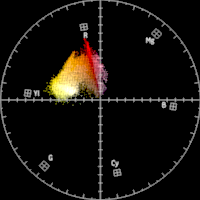
Analyzing images in
Flame has been enhanced, making it possible to display various Scopes widgets inside the Player or a Viewport. Any viewport can now be set to show the following widgets: Waveform (including a new RGB Parade), a Vectorscope, or a 3D Cube. See
Using Scopes.
For more details, see these videos from the Flame Learning Channel:
Shotgun
- It is now possible to load assets from Shotgun into Flame using the new Shotgun Loader. The Shotgun Loader is available for both the Plugin and Classic Shotgun implementation, and enables you to browse the sequences available in your Shotgun site, and load the media inside Batch. See Shotgun Loader.
- When launching Flame from the Shotgun Desktop application, the launch routine has been modified for projects not set to Advanced Setup. See Shotgun Desktop Launch Routine.
- A Shotgun Project can now be associated with a Flame project from within Flame, using the Log In option, located in the Shotgun submenu.
- It is now possible to break the connection between Flame and Shotgun projects, using the Break Link to Shotgun Project option, located in the Shotgun submenu.
- A progress dialog is now displayed at the bottom left of the screen when you log in to Shotgun using the Plugin integration.
Timeline/Timeline FX
- It is now possible to copy transitions from one track to another using the new Copy Transitions to Track and Copy Selected Transitions to Track options located in a Timeline track contextual menu. See
Copying Multiple Transitions.
For more details, see this video from the Flame Learning Channel:
Editorial Copy Cuts.
- It is now possible to set the default colour of a Gap Timeline FX and a Gap Batch FX, in .
- The Sparks Load Browser is now automatically opened when you add a Sparks Timeline FX to a Timeline segment.
Tools
The Look and Exposure nodes settings now display four decimals in their values.
Viewing
The new 360 VR mode in the Player and Multiview viewports allows you to visualize a latitude/longitude image, and navigate interactively, within a 360-degree environment. See
Using the 360 VR Mode Widget.
For more details, see this video from the Flame Learning Channel:
The 360 VR viewer.
Wiretap
In previous versions, the deployment of multiple versions of Wiretap Server was possible, but only a single version at a time could run. Now, either a previous or current version of Wiretap Server and Wiretap Gateway, as required by the connecting client, can be used. When 2018.3 Update is installed, the current version at that time becomes the previous version, and 2018.3 becomes the current version. Subsequently, a client using either of the two versions can connect to the server. This is managed by the symlinks current and previous, in both the /opt/Autodesk/wiretapgateway/ and /opt/Autodesk/wiretap/ directories.