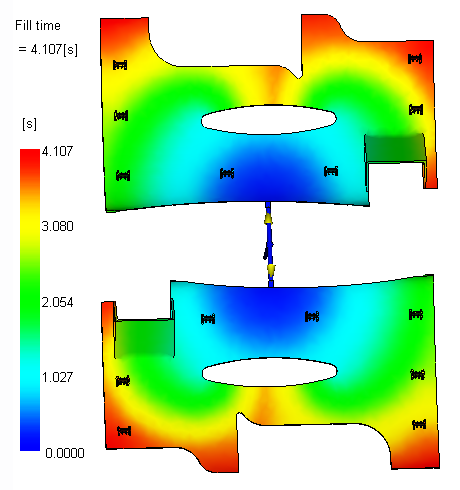
In this task, you review the Fill time results.
-
Click Fill Time in the Study Tasks pane.
-
Click
 () to animate the result.
 -
Rotate, pan, and zoom as necessary to see the filling pattern.
The filling is balanced between the cavities and the fill time is around 4 seconds.