The microcellular core-back technique enables you to decrease the density of microcellular foaming parts, compared with traditional microcellular injection molding. In this 2017 release, you can simulate the microcellular core-back technique, where foaming is triggered by opening the mold at the end of the packing phase.
This feature is supported for the following mesh types:
 3D
3D
In the microcellular core-back technique the cavity is initially fully-filled. At the end of the packing phase, foaming occurs as a result of the drawback movement on the core side of mold. The core side of the mold is opened at the end of the packing phase when the skin layer has formed to the appropriate thickness, but the core is still hot and soft enough to foam. The mold opening amount is typically comparable to the cavity thickness. The quality of the molded part depends on the cell structure, and is controlled by the processing conditions, the delay time, and the core-back speed and core-back distance.
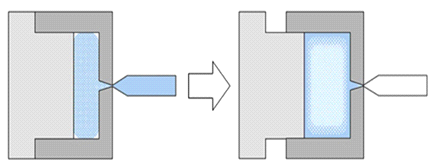
Microcellular Core-back Process
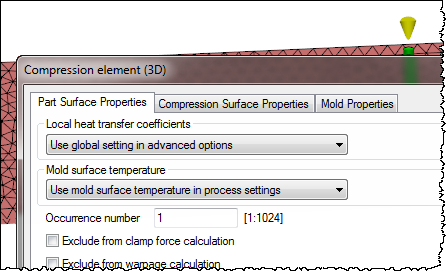
The basic workflow is similar to a thermoplastic microcellular injection molding simulation, except that the main foaming starts when the mold opens at the end of the packing phase.
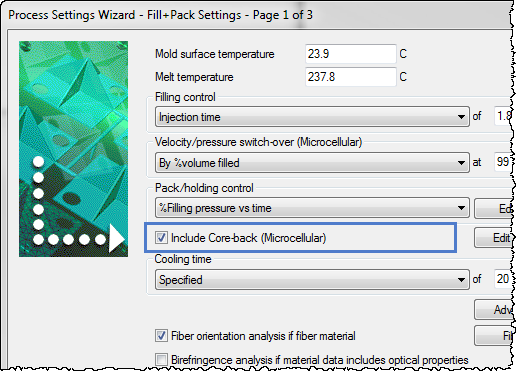
To use the microcellular core-back technique, select the Include Core-back (Microcellular) option in the Process Settings, and then edit the Core-back data.

Results
- The
Press Displacement for mold opening is shown in the
Analysis Log as a negative number, to distinguish it from mold closing.

- The
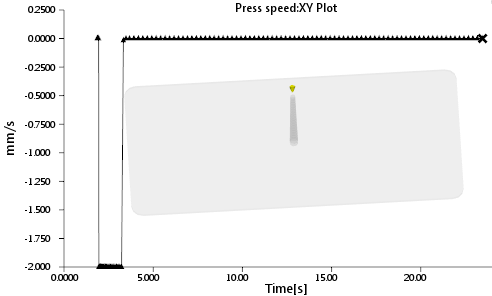
Press speed result plot is shown as a negative number during mold opening, to distinguish it from mold closing.
- Some results such as fill time, pressure, and temperature are displayed on the deformed mesh. To change the display, click
 () and uncheck the
Display on deformed mesh option.
() and uncheck the
Display on deformed mesh option.
For more information see Setting up a Microcellular Core-back Process.