Provides a visual comparison between two drawings. Color and revision clouds are used to show the differences.
Access Methods
Toolbar:

Menu:
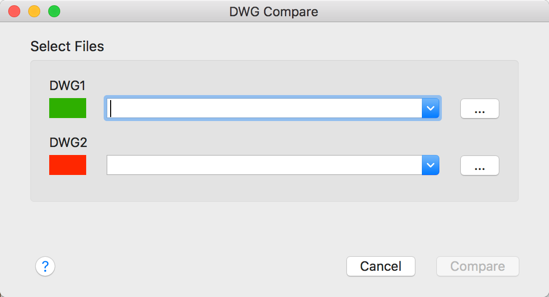
The DWG Compare dialog box is displayed. Select the drawing files you want to compare and click Compare. Use the drop-down lists to select recently compared drawings.
During the comparison process, objects that have been modified, added, or removed are identified in the review drawing. The result displays in a new drawing, in a new tab, called the comparison drawing. The name of the comparison drawing is a combination of the file names of the compared drawings, Compare_filename1 vs filename2.dwg. In the comparison drawing, the differences are highlighted as change sets, using revision clouds.
DWG Compare Visor


 Controls the navigation through multiple change sets using the previous and next buttons.
Current Change Set. Displays the current change set number. Type a specific change set number and press enter to zoom to that particular change set.
Total Number of Change Sets. Displays the total number of change sets in the comparison result drawing.
 Opens a palette where you can change comparison options including color, revision clouds, hatch, and text.

Differences

 Turns on or off the objects only on DWG1 or DWG2, or objects common to both drawings.
Color Swatch. Specifies the color for the objects only on DWG1 or DWG2, or objects common to both drawings.
 Opens or switches to DWG1 or DWG2.

 Controls the display order of overlapping objects in the comparison result drawing.
Revision Clouds

 Displays or hides the revision clouds around each change set in the comparison result drawing. Change sets are the same, whether or not revision clouds are displayed.
- Rectangular. Creates a single rectangular revision cloud around each change set to show the changes.
- Polygonal. Creates polygonal revision clouds around each change set to show the changes.
Margin. Controls the margin between the change sets and revision clouds.
Compare

 Controls whether hatch objects are included in the drawing comparison.

 Controls whether text objects are included in the drawing comparison.