You can export your data to your Autodesk Drive, and share it with others.
Autodesk Drive is a cloud storage solution, that provides you with a collaboration workspace and cloud services to help you design, visualize, simulate, and share your work with others anytime, anywhere. Autodesk Drive is made available to you with your Moldflow subscription. To learn more, see Autodesk Drive.
To access Autodesk Drive, log into your Autodesk Account, and select the Management tab to see your products. Subscription customers will see Autodesk Drive included. Click the link to download and install it.
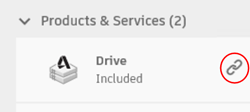
To export data from Moldflow to your Autodesk Drive, you also need to install the Desktop Connector. The data files are exported to your local connected drive via the Desktop Connector. These local file activities are then synced automatically with your Autodesk Drive online storage, where you can share them with collaborators and view them using a web browser.
Collaboration files
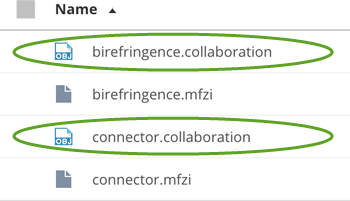
When you Export to Desktop Connector, a collaboration file is generated. The collaboration file is used to see result views, CAD views, and mesh views online. You can only view a collaboration file via a browser. You can also share the collaboration file with team members.
Moldflow Archive files
When you Export to Desktop Connector, a Moldflow Archive file (.mfzi) is also generated. The Moldflow archive file can include study and process settings data, CAD data, and results. Double click the file to open it in Moldflow Insight.