All Moldflow analyses are done in Projects. Projects allow you to manage multiple analyses, called Studies. A project is created for your filling analysis.
In this task you will create a Project and import a model.
 Download the files for this tutorial from
Autodesk Knowledge Network-Quick Start folder.
Download the files for this tutorial from
Autodesk Knowledge Network-Quick Start folder.
Note: The tutorial assumes that you just opened
Autodesk Moldflow Insight and you do not have a project open.
- To create the project, click
 ().
().
-
Enter the project name Quick Start Filling Analysis in the new project dialog box, and click OK.
The project is ready to import a part.
-
Click
 ().
().
-
Navigate to the location where you saved the tutorial files.
-
Select the file MouseCover.ipt and click Open.
- Select Dual Domain from the drop-down list. This is the most suitable mesh type for a thin shell-like part.
-
Click OK.
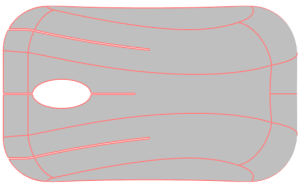
Note: The body was selected to show the shape of the part. De-select the part before moving to the next task.