In this step, you use the Fill Preview tool to investigate the filling pattern with different injection locations.
-
Rotate the part so you can see the back of the mouse, similar to the image.
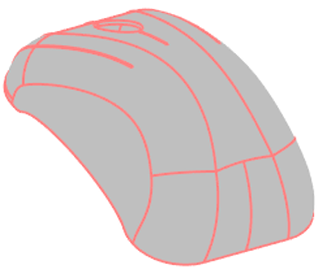 Note: The part has been selected in these images so that the CAD contours can be shown. This shows that the body has been selected. Do not display these contours during this task because there is a risk of the body being deleted at the same time as the injection location.
 -
Click
 ().
().
-
Click the part on the back end of the part as shown. The exact location is not important.
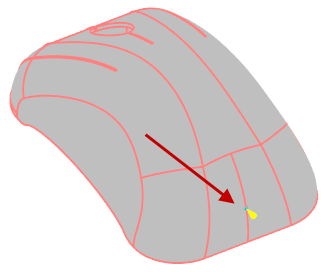
-
Click Fill Preview in the Study Tasks pane.
-
Click
 () to animate the results.
-
Stop the animation. Select the yellow injection location cone and drag it across the part. Watch the animation at the new location.
-
Right click and select Finish Injection locations.
- De-select the Fill Preview result.
- Select the injection cone, right-click and select Delete.
- Select Node and/or Node boundary condition from the Select Entity Types dialog.
- Click OK.
You have demonstrated that a different fill pattern is generated by moving an injection location.