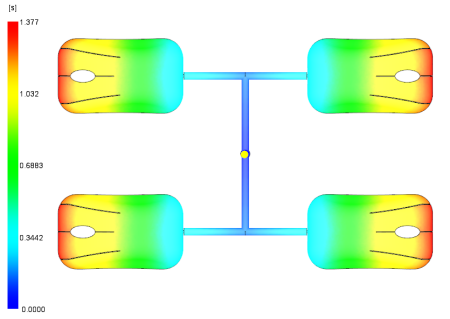
In this task, you will interpret the fill time results.
 Download the files for this tutorial from
Autodesk Knowledge Network-New User Quick Start tutorial.
Download the files for this tutorial from
Autodesk Knowledge Network-New User Quick Start tutorial.
Click
 ().
().
Navigate to where you stored your tutorial file, select mousecover_4cavity_fill.sdy and click Open.
-
Click the Fill time result in the Study Tasks list.
-
Click
 ().
().
-
-
Rotate, pan, and zoom as necessary to see the filling pattern.
The filling pattern is uniform between the four parts. For this tutorial will assume each cavity has identical characteristics.