In this task, you interpret the pressure results.
-
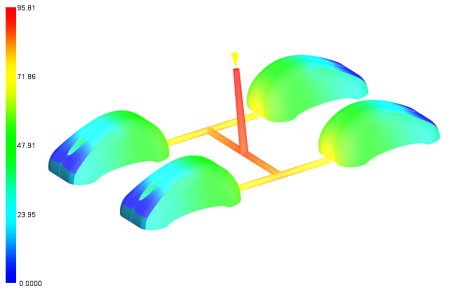
Select Pressure at V/P switchover in the study tasks list.
-
Click
 ().
().
-
Rotate, pan, and zoom as necessary to see the result.
The pressure at V/P switch-over is best when under 75% of the machine capacity. For a typical machine with a capacity of 140 MPa (~20,000 psi) the pressure is acceptable when under 100 MPa (~14,500 psi).
The maximum pressure is about 100 MPa, decreasing the V/P switch-over pressure is advantageous.
-
Click Pressure at injection location:XY Plot.
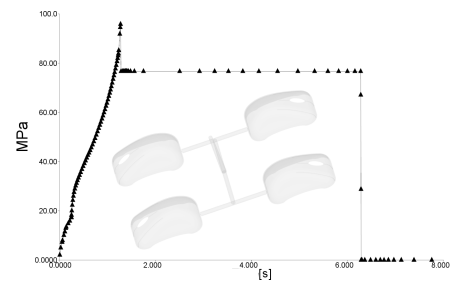
Here you can see how the pressure builds up and drops 20% for the packing phase.