Doing this can improve the accuracy of simulations
As experience develops with the use of a particular stress and distortion PRM file, you may discover the need to improve the model's correlation with reality. For example, if distortion of parts is about 20% higher in simulations than in actual builds, you may want to scale the stress and distortion PRM file by 83%, assuming a linear behavior. To improve the accuracy of future simulations, you can scale a PRM file up or down, as follows:
- On the Home tab, click Processing Parameters.
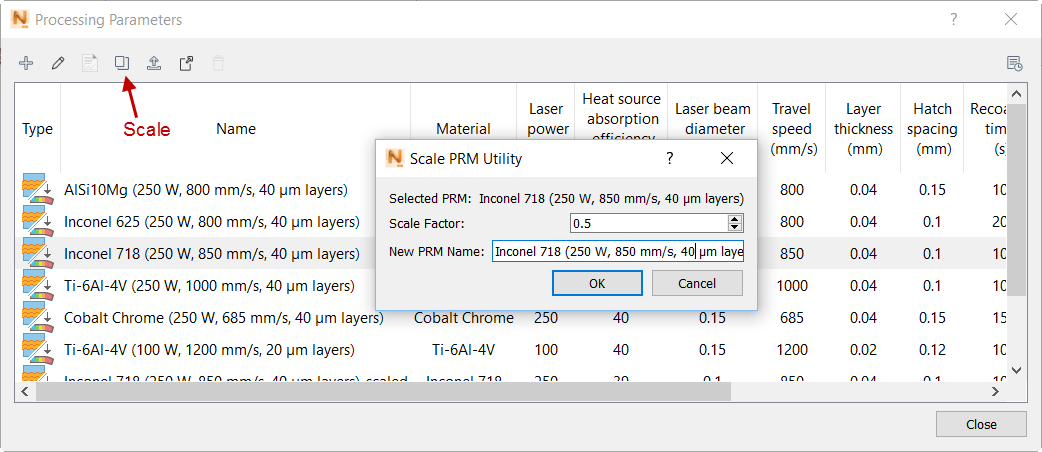
- In the dialog, select the PRM file to be scaled, and then click Scale. Only PRM files that include stress and distortion analysis can be scaled.
-
Enter a Scale Factor, based on 1.0 as the current value in the PRM file. For example, set a value of 0.5 to reduce the factor by half, or 1.2 to increase it by 20%.
- Enter a descriptive name for the scaled PRM file, and then click OK to save the file in the library.
The new scaled PRM file has _scaled appended to the file name.