Tools Menu
Use the VRED Tools Menu to access tools when wearing an HMD.
About the Tools Menu
For participants in VR, click the Tools Menu controller button to display the Tools Menu (also called the VR Menu). It houses an assortment of desktop tools, making them accessible while in VR.
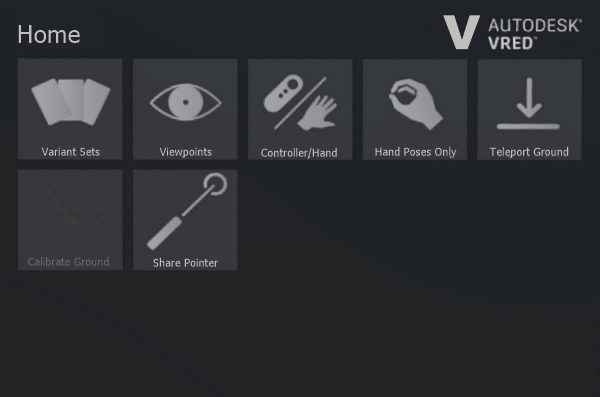
NOTE For collaboration session participants not wearing an HMD, all tools accessed through the Tools Menu are accessible in the VRED desktop UI.
The panel contains the following options:
Variant Sets - Opens the Variant Sets (VSets) panel to access all variant sets created for the scene. Any variant sets set in a scene are automatically loaded into the Variant Sets panel of the Tools Menu.
Viewpoints - Opens the Viewpoints panel to access all viewpoints created for the scene. Any viewpoints set in a scene are automatically loaded into the Viewpoints panel of the Tools Menu.
Controller/Hand - Switches between displaying the controllers or hands. To do this another way, see How to Switch Between Hands and Controllers.
To set the displayed default, see Default Visualization in Virtual Reality Preferences.
Hand Poses Only - Toggles between using the pointer or hand gestures for communication. When enabled, you can point, give a thumbs up or down, make a fist, punch, or open your hand. It also disables all tools mapped to these button, with the exception of the Tools Menu button. Use hand poses to interact with touch sensors and communicate with others, while in a session.
Teleport Ground - Sets the teleporting ground mode to either On Geometry or On Ground Plane. When Teleport Ground is enabled, teleport around the scene or into spaces, such as inside a car. When disabled, teleport onto geometry in the scene. To set a teleporting Ground Mode preference, see Virtual Reality Preferences.
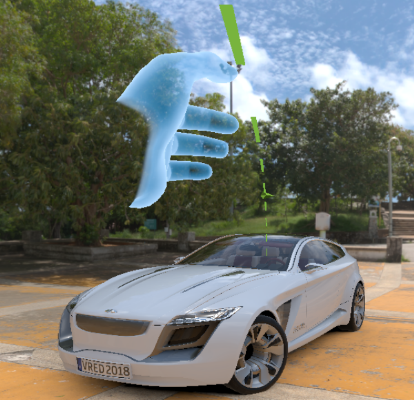
Calibrate Ground - Provides a way to set where the ground plane is. When working with a model not created at the origin, participants will need to calibrate the ground to match that of the model.
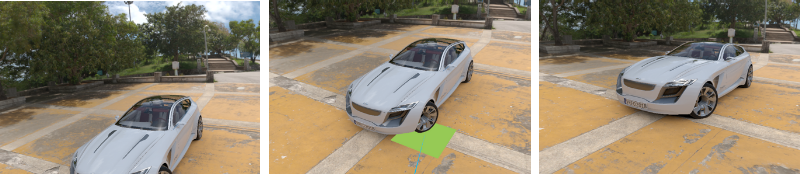
Share Pointer - (Only available for VR Room participants) Changes whether other participants see or do not see your pointer. The default state is for it to be seen by others, enabled. For you, your pointer will be visible, whether this option is activated or not.
Since the pointer is meant to draw participants' attention to things during a collaboration session, when activating touch sensors or WebEngines, disable Share Pointer. Enable Share Pointer again when you need to get the others' attention.
How to Access Tools
To access any of these tools, either tap with your virtual hand or use the pointer. For how to use these tools, see the following:
- How to Switch Between Hands and Controllers
- What if I'm Left-handed?
- Using Hand Poses
- How to Use the Pointer
- How to Calibrate the Ground Level
To exit a panel and return to the previous one, press the X in the top right.
Can I Add Functionality to the Tools Menu
Use Python add functionality to the Tools Menu, such as web content and access to VRED modules.
- To see sample Python functions for adding functionality, select File > Open Example > vr > customMenuButton.py and click Open.
Select Edit > Script Editor to open the editor and take a look at the code.
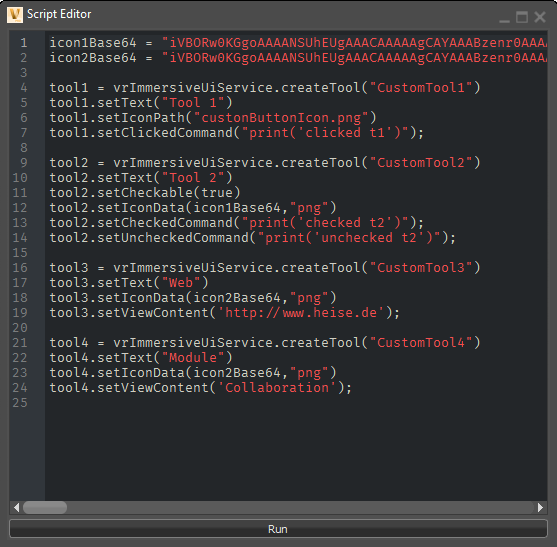
Select Help > Python Documentation to refer to the Python documentation for details on these functions.