Opens the Push to Autodesk Docs palette where you can select AutoCAD layouts to upload as PDFs to Autodesk Docs.
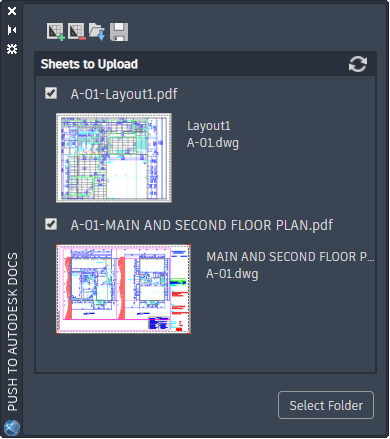
Sheets to Upload
Lists the AutoCAD layouts from the selected drawings.
 - select a drawing to add the layouts to the list of available sheets
 - remove the selected layouts from the list of sheets
 - load a previously saved list of sheets
 - save the current list of sheets to a file for easy retrieval
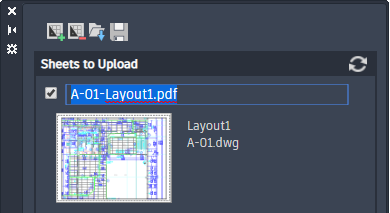
PDF File Name
By default the PDF file name is <drawing name>-<layout name>.PDF. Click the file name to edit in place.
Select Folder
Displays your available projects on Autodesk Docs.
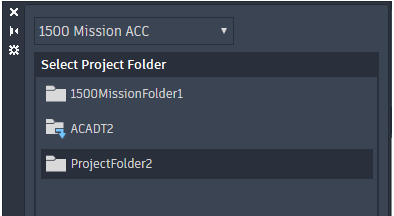
Select a project from the drop-down menu, then select a folder within that project. Click OK to upload the selected layouts as PDFs to the project's folder.
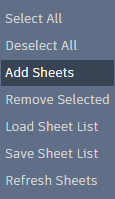
Shortcut Menu
Right-click anywhere on the palette to display the shortcut menu.