How to obtain the elements needed for work on skins and lattices, and the meshes for use in other sections of Netfabb
A simple mesh body cannot be worked on directly within Lattice Commander. Instead mesh bodies are the interface between a mesh part within Netfabb and Lattice Commander: From the mesh body, lattices and skins are derived; and converting the results into a mesh body provides the triangle net required in Netfabb's further steps such as supporting, slicing, or simulating.
Jump to:
- To generate a lattice, surface lattice, or skin from a mesh
- To generate a mesh from a lattice, surface lattice, or skin
To generate a lattice, surface lattice, or skin from a mesh
- In the project tree, select a component's mesh.
 From the main menu, click either of
 Hollow,
 Volume Lattice, or
 Surface Lattice.
- Adjust values as needed, including what to do with the original body, then click Generate.
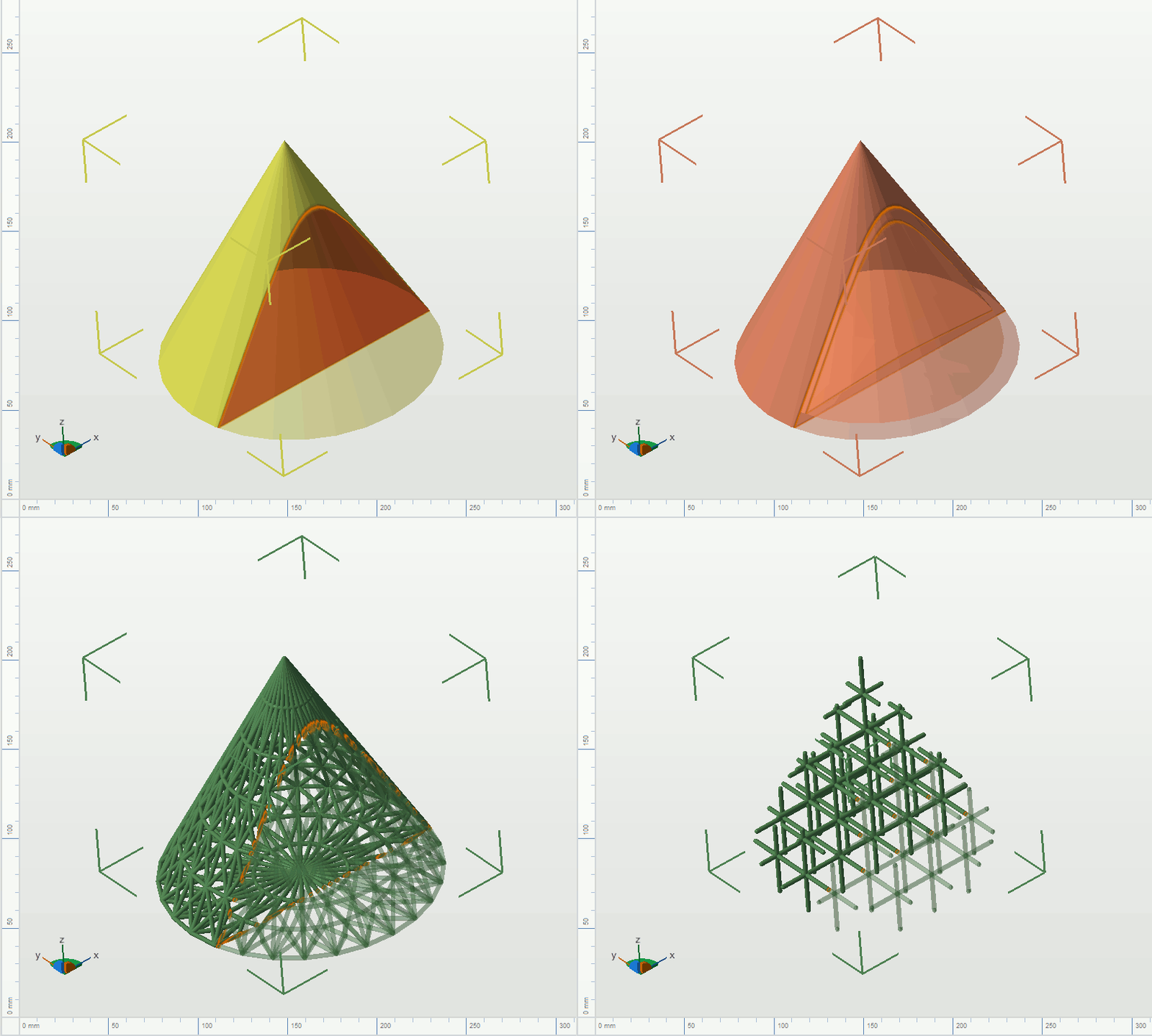
The four variants of a component: Solid mesh, skin, surface lattice, lattice
To generate a mesh from a lattice, surface lattice, or skin
You can generate meshes from individual bodies only by processing the entire component. Use the roles to export only the desired bodies, then process the bodies in the component individually, otherwise they will all end up as shells of the same part.
- In the project tree, select the
 component.
- Adjust the role of each body as necessary by clicking on the role icon, cycling through
 Solid,
 Trim,
Trim,
 Void, and
 Ignore.
- Select the mesh generation method.
- In the main menu, click
 Generate.