In PowerInspect, you can create measurements from other items; this is called constructing an item. This section describes how to construct a line using the centres of the circles you created in Stage 4. The line is used to specify the positive direction for the alignment's X axis.
To construct a line for the alignment:
- Click Home tab > Create panel > Geometry > Line: Two Points.
The Line: Two Points dialog is displayed.
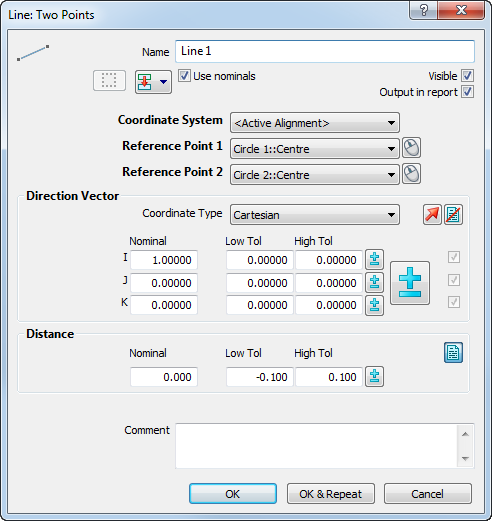
The line is created from the items selected in the Reference point 1 and Reference point 2 lists. In this case, the centres of the circles are used as the start and end points of the line, and the positive direction for the alignment's X axis runs from Reference point 1 to Reference point 2.
- Click OK to add the line to the inspection sequence.