Use the Twist dialog to rotate a workplane around an axis by a specified angle.
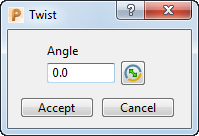
To display the Twist dialog click:
- Workplane Editor tab > Edit panel > Twist around X.
- Workplane Editor tab > Edit panel > Twist around Y.
- Workplane Editor tab > Edit panel > Twist around Z.
This dialog contains the following:
- Angle — Enter the rotation required.
-
 Invert Angle — Click to change an counter-clockwise rotation to a clockwise rotation. So, an angle of 30
 becomes 330.
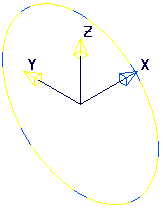
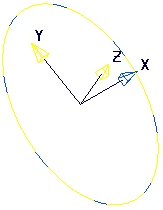
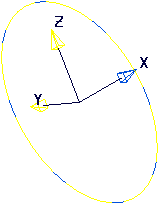
The axis that is fixed (the axis the workplane is being rotated around) is blue to show that it cannot be modified.
-
Angle of 0:
- For a rotation about X, Angle of30:
- For a rotation about X, Angle of 330:
-
Angle of 0