The Tool axis tab on the Dynamic machine control mode dialog displays the tool axis direction as vectors and apparent angles. The values update automatically when you use the grab-handles to adjust the tool axis.
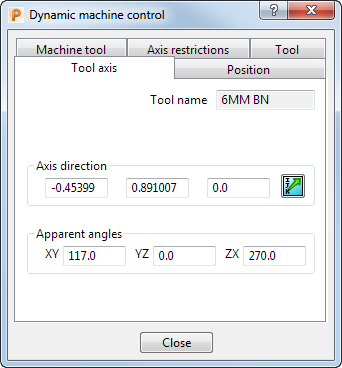
This tab contains the following:
- Tool name — The name of the tool.
- Axis direction — Specify the tool axis as vectors.
-
 Direction — Click to display the Direction dialog. The dialog enables you to specify the tool axis instead of using the grab-handles.
 - Apparent angles — Specify the tool axis as apparent angles.
You may find it useful to use the grab-handles to specify the tool axis approximately and then use the Tool axis tab to specify the tool axis more accurately.