Create, edit, and delete Action Rule Sets on the Action Rules Dialog.
Important: This topic is intended for Vault Workgroup and Vault Professional users. Vault Basic users should see
Copy Design (Vault Basic).
A rule set is a collection of property rules that determine file property behavior during a copy operation.
Manage Rule Sets
- In the toolbar, click
Options >
Action Rules > Define to open Action Rules dialog.
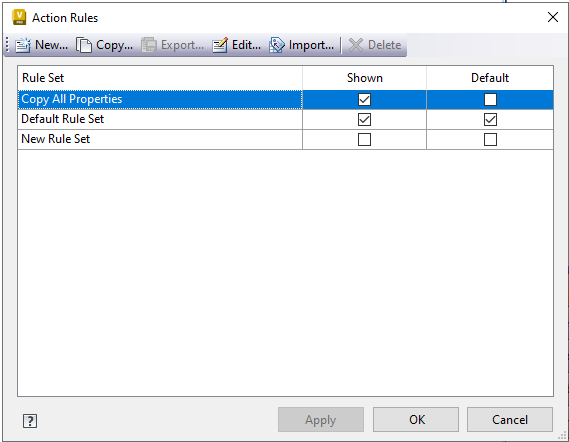
- Click New to Define an Action Rule Set.
- Select an existing rule set and click Copy to create a new rule set with the same conditions and property settings.
- Select an existing rule set and click Export to export the rules set as a XML file to a desired location.
- Select an existing rule set and click Edit to make changes to the existing conditions and property settings.
- Select an existing rule set and click Import to import an existing rules set from a desired location.
- Select a rule set and click Delete to remove it entirely from the Action Rules list.
- Click OK to save your changes.
Note: You must be a Vault Administrator to modify Action Rules.
Note: See
Apply a Rule Set
for information on using rule sets during a copy operation.