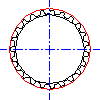
To Insert a Pulley (AutoCAD Mechanical Toolset)
Click
Content tab
Calculation panel
Chains/Belts drop-down
Sprocket/Pulley
.
Find
In the Pulleys and Sprockets dialog box, select Belt.
Select the Library button.
Specify the center of the wheel.
In the Select a Pulley dialog box, select the type of the pulley.
In the Select Part Size dialog box, select the size of the pulley.
The pulley is inserted.
Related Concepts
About Chains and Belt Calculations (AutoCAD Mechanical Toolset)
Related Tasks
To Insert a Belt (AutoCAD Mechanical Toolset)
To Insert a Chain (AutoCAD Mechanical Toolset)
To Insert a Sprocket (AutoCAD Mechanical Toolset)
Related Reference
Commands for Chain and Belt Calculations (AutoCAD Mechanical Toolset)