- Click
 . Find
- In the Pulleys and Sprockets dialog box, select Chain.
- Select the Library button.
- In the Select a Chain dialog box, select the type of the chain.
- In the Select Part Size dialog box, select the size of the chain.
- In the Number of Teeth to Draw field, enter the number of teeth for the sprocket, in order to calculate the diameter of the pitch circle.
- In the Hole Diameter for Shaft field, enter a different diameter, if necessary.
- Determine the number of teeth that are to be inserted in the drawing, and enter the insertion angle.
- Specify the insertion point for the sprocket.
- Press Enter to insert centerlines.
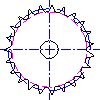
The sprocket is inserted.