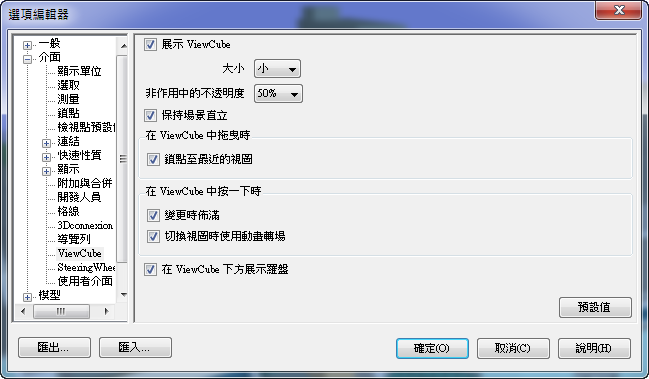
在 ViewCube 工具上按一下右鍵,然後按一下「ViewCube 選項」。
在「選項編輯器」>「介面」節點 > ViewCube 頁面,從「非作用時的透明度」下拉式清單中選取一個選項。
按一下「確定」。