Enter DISPLAYDXFNAME on the command line to label each object in the drawing with its name. Labels appear even for objects that are not displayed. For example, if you created a display set that did not include a display representation for doors, and you then assigned the display set to a display configuration used in the current viewport, doors would not be displayed in that viewport. An object can also exist in a drawing and not be displayed if the object was filtered by its classification in the current display set.
DISPLAYDXFNAME can help you determine whether the objects are simply not displayed or if they are not present.
- At the command line, enter displaydxfname.
- Enter y (Yes).
-
Click
 .
Note: Alternatively, enter rea at the command prompt.
.
Note: Alternatively, enter rea at the command prompt.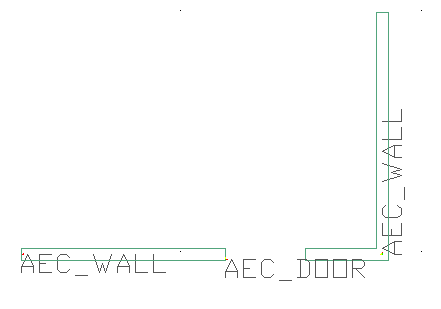
Displaying the names of objects, including those that are not shown
- To turn off object names, enter displaydxfname.
- Enter n (No).