In this exercise, you will create a code set style to assign pay item codes to corridor areas and linear features.
A code set style applies pay items to the link or point codes that define corridor assemblies. The code set style enables you to use the corridor model to compute quantities for a variety of units of measure, such as:
-
Cumulative Area or Volumes: To extract cumulative volumes of closed corridor areas, apply pay item codes to corridor links.
Links with pay item codes are used to extract pay item area or volumetric quantities of materials such as asphalt, gravel, or soil.
-
Linear Quantities: To extract linear quantities along a corridor feature line, apply pay item codes to corridor points.
Points with pay item codes are used to extract linear quantities for materials such as guardrails and curb.
-
Itemized Count: To extract itemized quantities of a particular item, apply pay item codes to corridor points, and use a formula to compute the quantity from the feature line length.
Note:
You will learn how to create and apply pay item formulas in Exercise 6: Working with Pay Item Formulas.
This exercise continues from Exercise 3: Assigning Pay Item Codes to Pipe Network Parts.
Create a code set style
- Open
Quantities-4.dwg, which is located in the
tutorials drawings folder.
This drawing contains a commercial site, which consists of a building footprint, a parking lot, and access roads.
- In
Toolspace, on the
Settings tab, expand the
General
 Multipurpose StylesCode Set Styles collection. Right-click
All Codes. Click
Copy.
Multipurpose StylesCode Set Styles collection. Right-click
All Codes. Click
Copy.
- In the Code Set Style dialog box, on the Information tab, for Name, enter Corridor Quantities.
- On the
Codes tab, under
Link, in the
Base row, click
 .
.
- In the
Favorites category, select
Pay Item ID30202-0600.
- Click OK.
- Repeat Steps 4 through 6 to apply pay item codes to the following links:
- Pave: 40920-1000
- Pave1: 40930-0200
- Pave2: 40310-3300
- SubBase: 30202-0800
- Repeat Steps 4 through 6 to apply pay item codes to the following
Point:
Top_Curb: 60902-0800
- Click OK.
Apply the new code set to the corridor and assembly
- In the drawing, select the side road corridor. Right-click. Click
Properties.
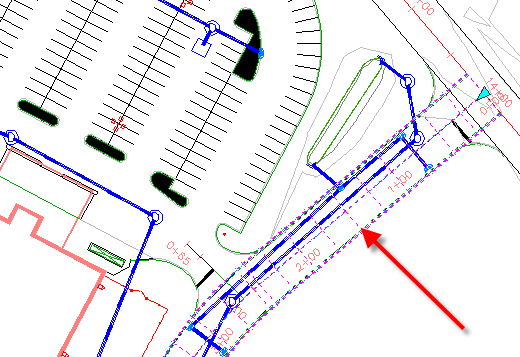
- On the Properties palette, under Data, for Code Set Style Name, select Corridor Quantities.
- Press Esc.
- In the drawing, select the baseline of the corridor assembly. Right-click. Click Properties.
- On the Properties palette, under Data, for Code Set Style Name, select Corridor Quantities.
- Press Esc.
- Rebuild the corridor.
To continue this tutorial, go to Exercise 5: Working with Quantity Reports.