Extend media with shot handles
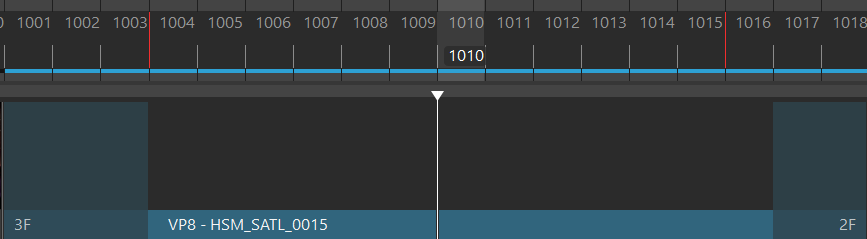
Shot Handles are additional frames added to the beginning or end of a shot to:
- maintain consistency of movement with the shot before and shot after by overlapping actions
- create a buffer between shots to accommodate lag or discrepancies
- smooth out transitions between shots
- accommodate technical and artistic needs in the animation
Frames added at the beginning of the shot are called pre-roll frames, while frames added at the end of a shot are called post-roll frames.
To access a shot's handles, right-click the current shot in the Cut Slider and select Shot Handles. If this option doesn't appear, it means the shot doesn't have any handles.
Note:
Using Shot Handles extends the selected shot and pushes any following shots, lengthening the cut.
You can animate within the frames added by Shot Handles while in Edit Mode  . When you playblast the shot
  , the additional frames are captured in the playblast so you can scrub the animation and ensure continuity.