Note: If
ArcGIS Maps (Tech Preview) is the current map control, coordinate systems for shapefile GIS Layers need to bet set before adding those layers.
This dialog is displayed when you click
 , adjacent to the Projection box in the
GIS Layer Control dialog, for the selected layer. The dialog lets you change the coordinate system for a shape file layer.
, adjacent to the Projection box in the
GIS Layer Control dialog, for the selected layer. The dialog lets you change the coordinate system for a shape file layer.
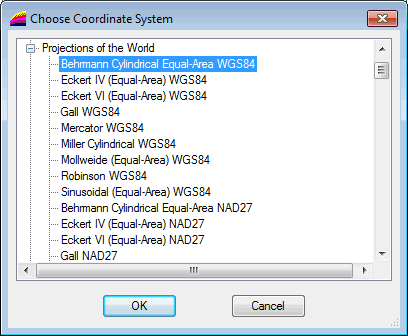
Choose Coordinate System Dialog for MapXtreme
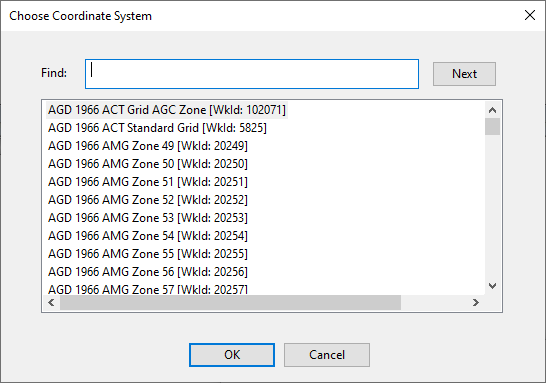
Choose Coordinate System Dialog for ArcGIS Maps
Change the projection system for a MapXtreme shape file layer
- Select the layer of interest in the GIS Layer Control dialog.
- Click
located adjacent to the Projection box. The Choose Coordinate System dialog is displayed.
- Select the desired projection system and click OK.
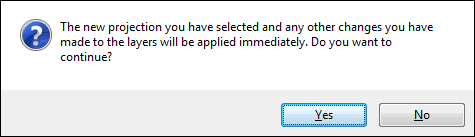
- The following warning message may be displayed to let you know that changes will be applied immediately :
- Click Yes to continue. The new selected coordinate system is applied to the layer and appears in the Projection box.
- Or click No to abort and close the dialog. The projection system has not been changed for the layer.
Choose Coordinate System for ArcGIS Maps
The Choose Coordinate System dialog for ArcGIS Maps includes a list of projected coordinate system compatible with InfoWorks software and ArcGIS.
- Use the Find field to find a coordinate system in the list.
Specifying all or part of the coordinate system you want to find into this field highlights the first instance of it in the list.
Clicking Next scrolls to the next instance of it in the list.
When the required coordinate system is highlighted in the list:
- Click OK.