To Use the Configure Button Sets Dialog
This dialog lets you create and modify button sets for the Utilities panel. All utility sets are available from the Sets button on the Utilities panel.

 Utilities panel > Utilities rollout > (Configure Button Sets)
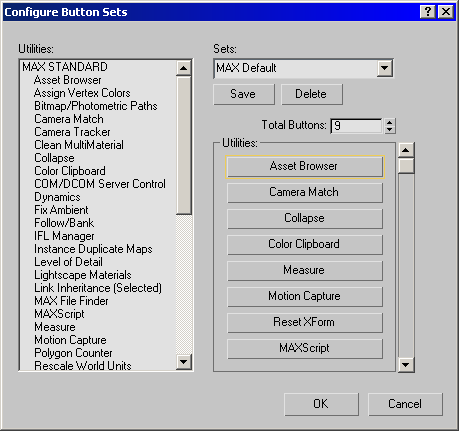
Customize the current button set:
Use Total Buttons to specify the number of buttons in the set.
Assign buttons by dragging the names of utilities in the Utilities list to buttons in the Utilities group box.
Clear buttons by dragging them to the Utilities list on the left.
Click OK.
3ds Max updates the Utilities rollout. You can customize the button set without saving it, but if you save a new button set under a new name, you will be able to use it later.
Tip: Don't alter the Default button set. Create a new one instead.
Create a new button set:
- Create a custom button set as described in the previous procedure.
- Enter a new button set name in the Sets edit field.
- Click Save.
Choose a button set to modify:
- Choose a button set from the Sets drop-down list.
Delete a button set:
- Choose a button set from the Sets drop-down list, then click Delete.