Default Hotkey Maps
Use the default keyboard shortcuts to quickly accomplish common tasks.
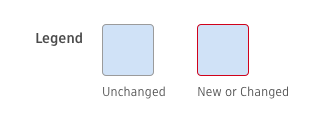
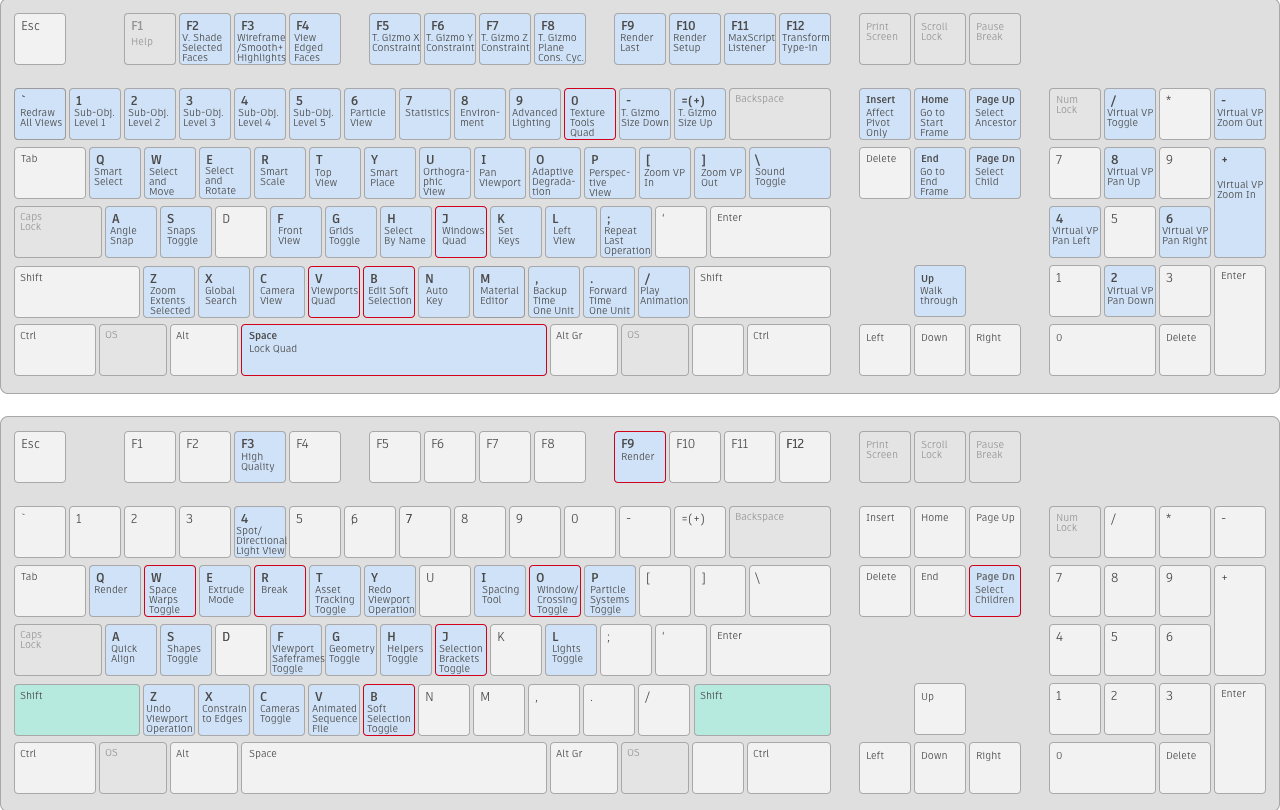
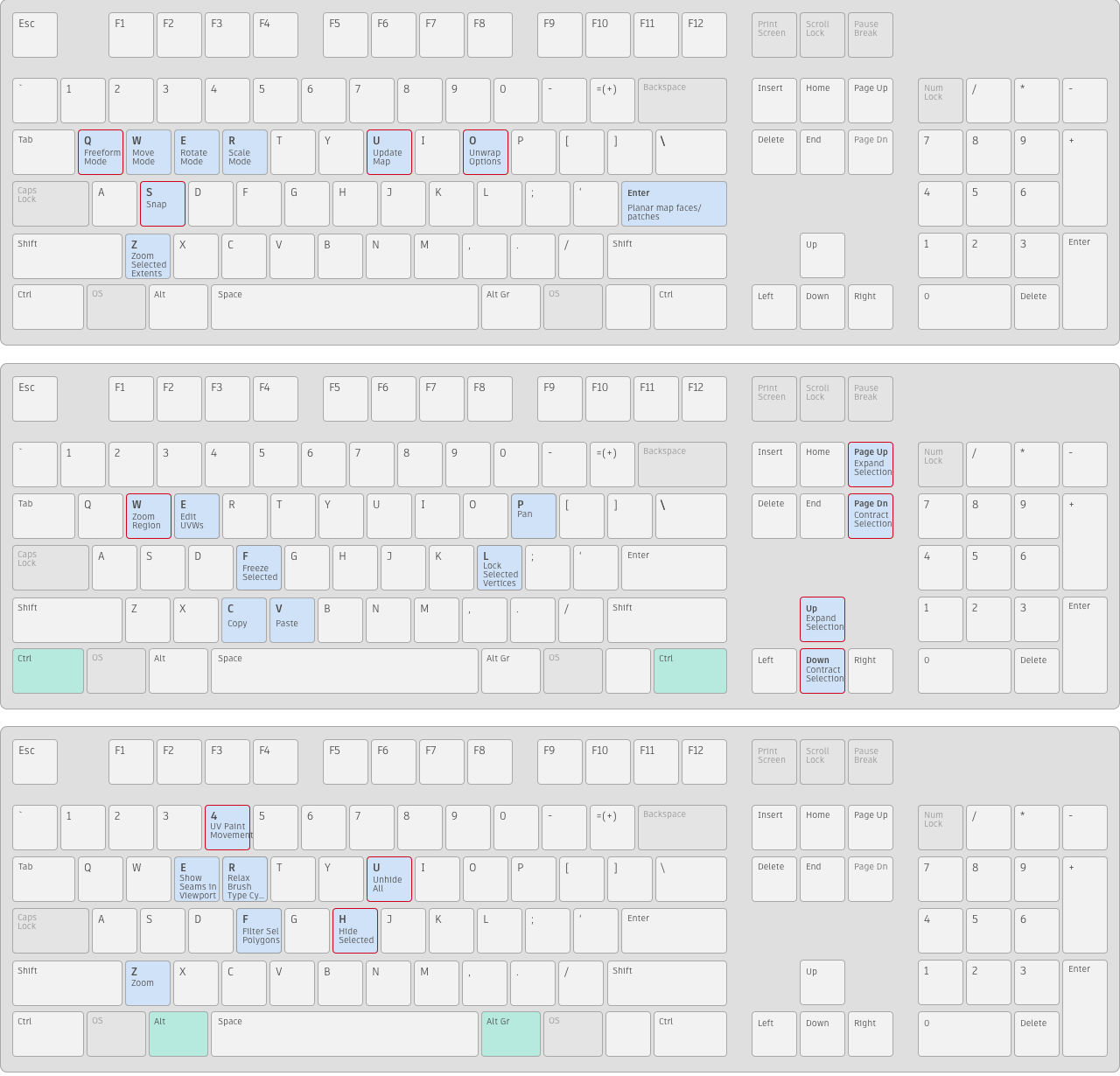
The following keyboard maps show the default keyboard shortcuts, organized by Main UI, Schematic View, Track View, Material Editor and SME, Edit Normals, and Unwrap UVW. A map of retired and changed hotkeys is shown at the bottom.
With hotkeys such as SHIFT+A, the combination key to hold down is shown in green. You can customize any of these keys using the Hotkey Editor.
For a list of all hotkeys, see Keyboard Shortcuts Tables.
Main UI, Modeling (Edit/Editable Poly, Edit/Editable Mesh)
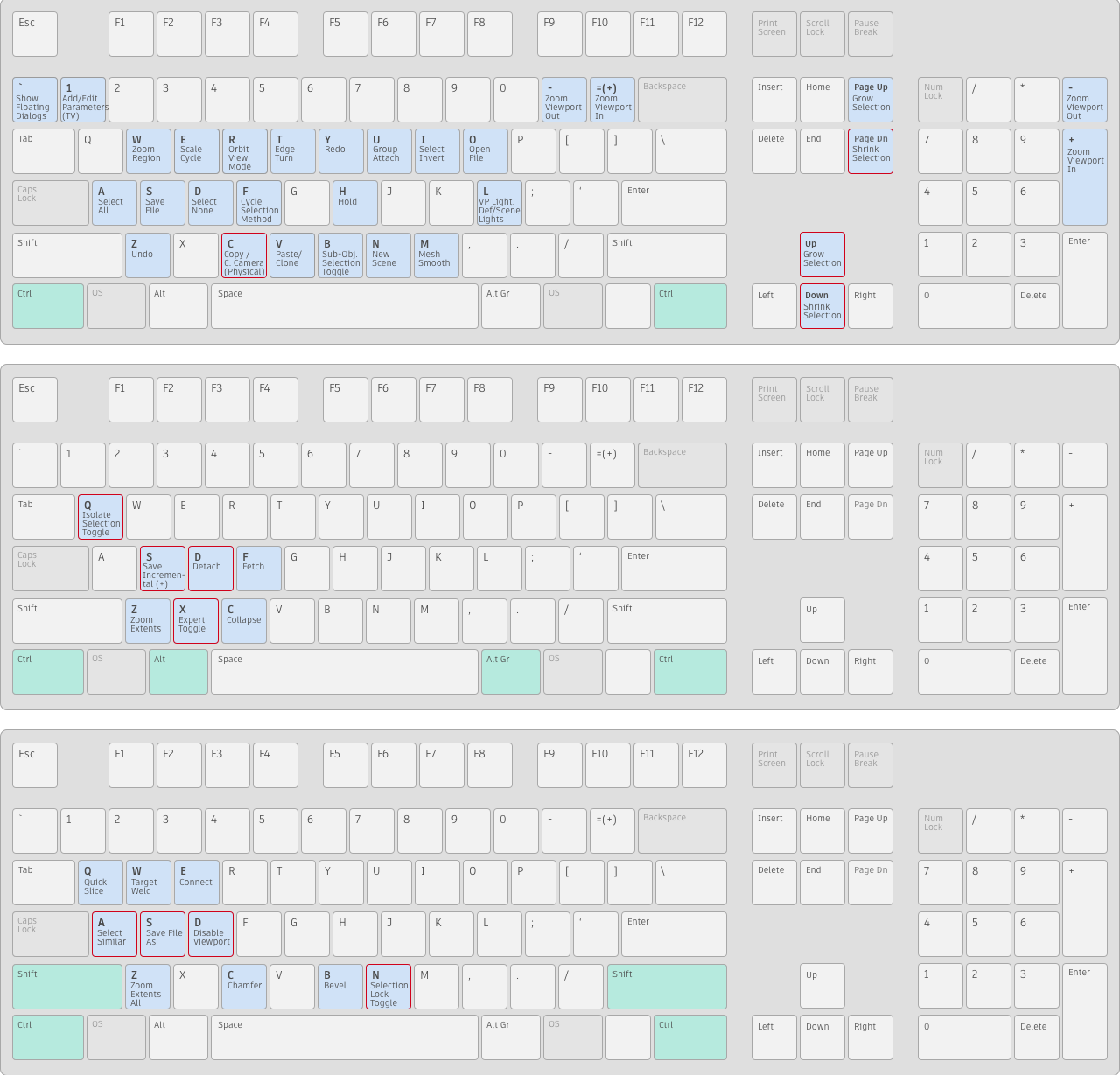
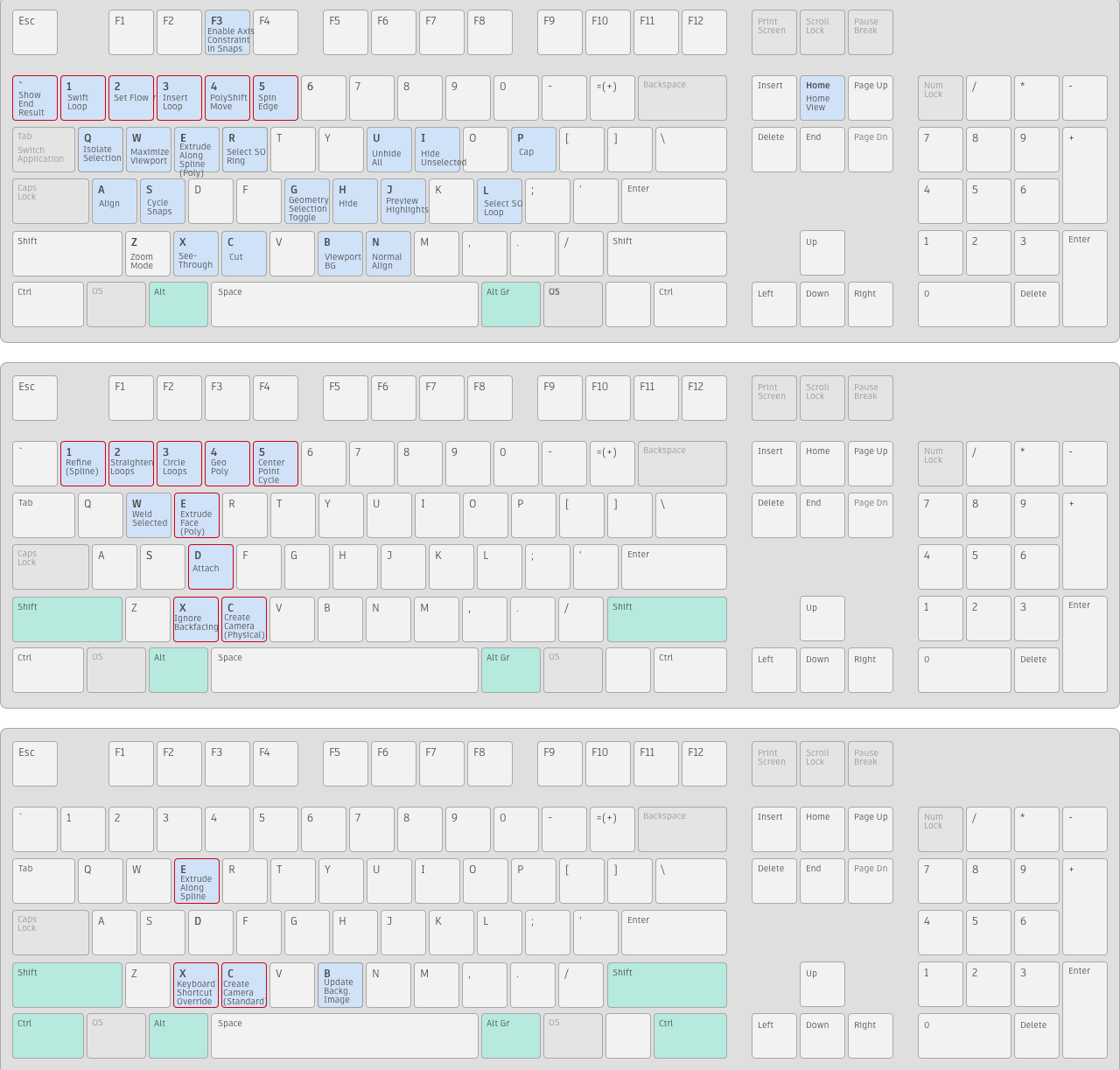
Schematic View
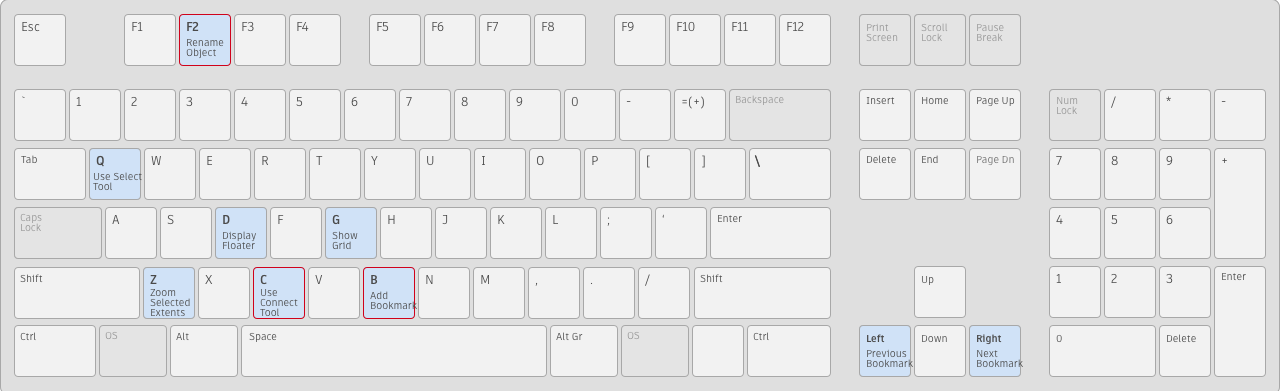
Track View
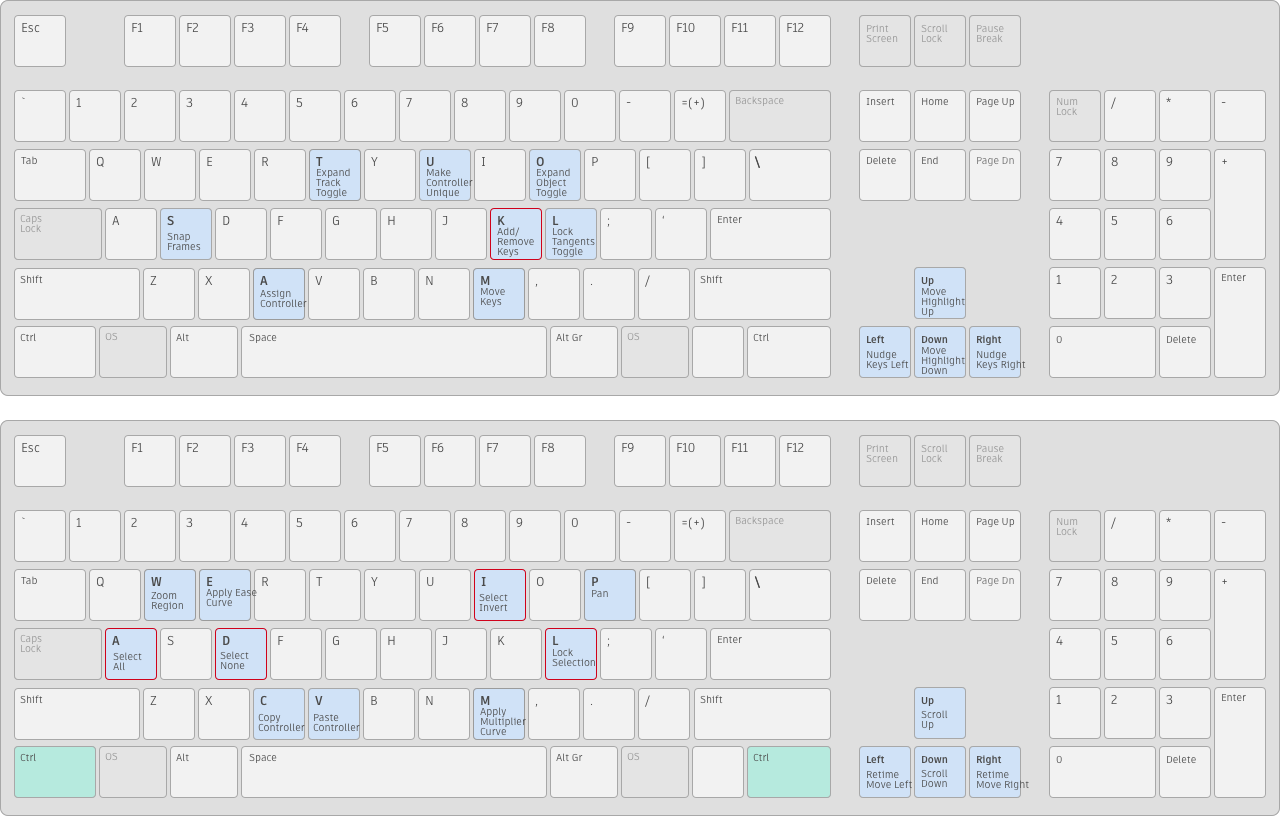
Material Editor
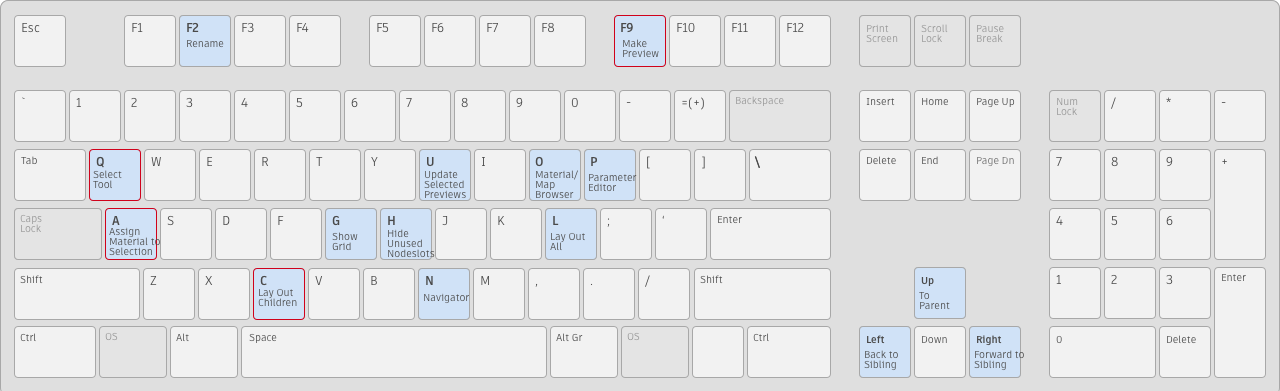
Edit Normals
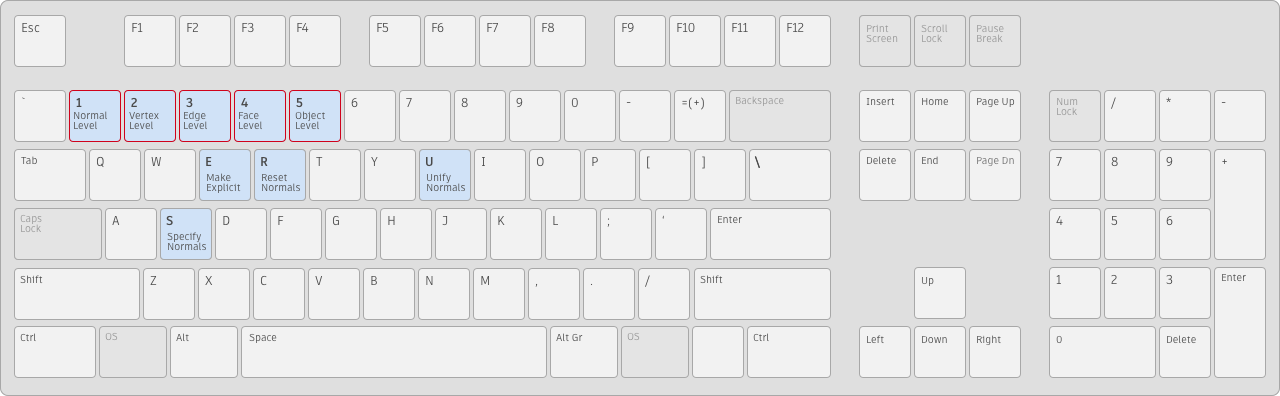
UVW Unwrap
Main UI Changed or Retired*
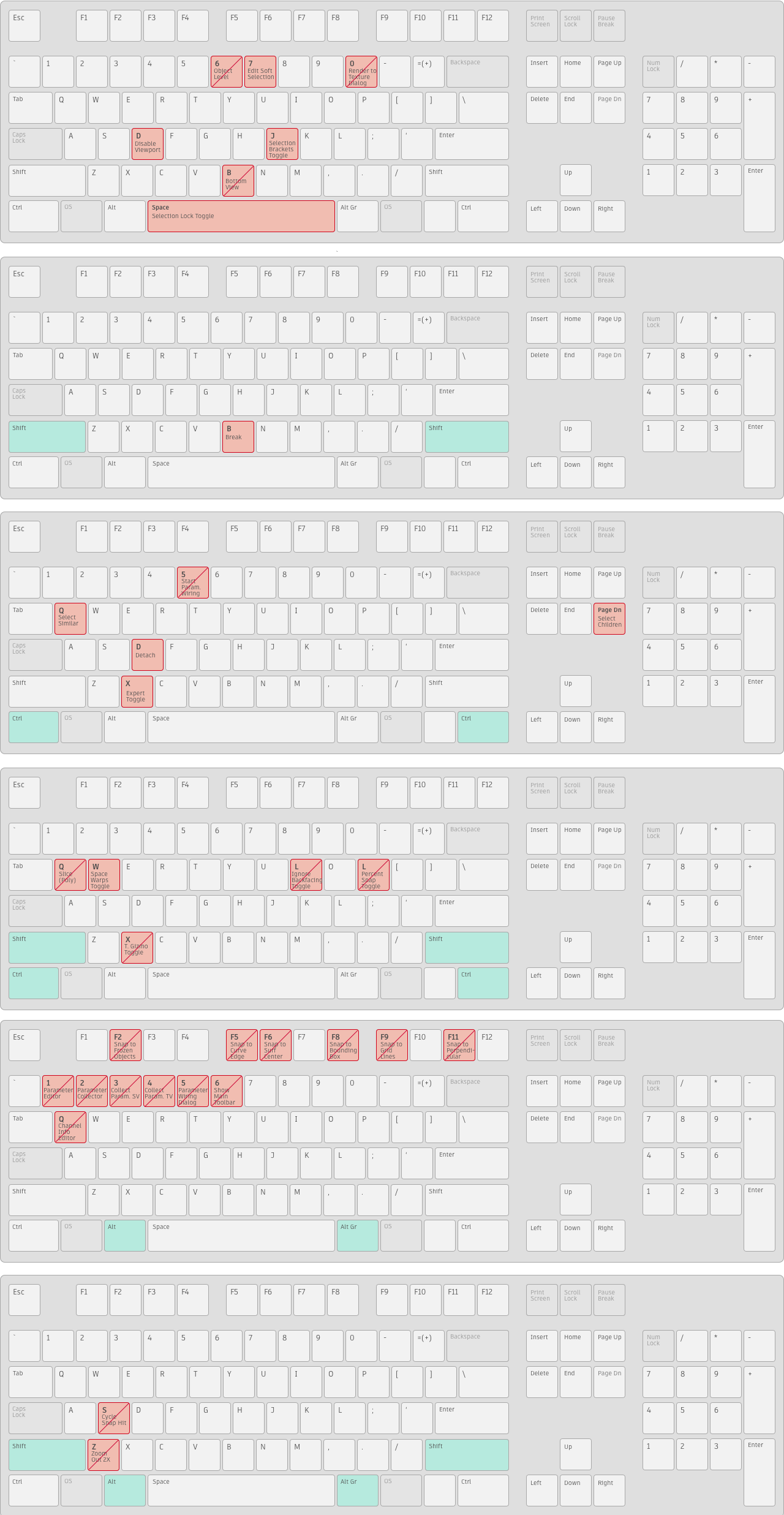
*Retired hotkeys are shown with a diagonal line struck through them.