Using Grids
Grids are two-dimensional arrays of lines similar to graph paper, except that you can adjust the spacing and other features of the grid to the needs of your work.
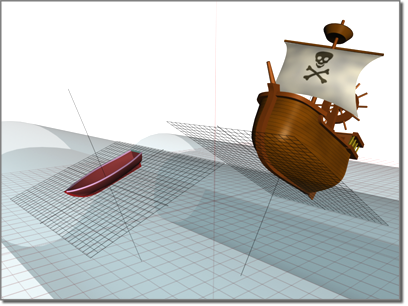
One grid establishes the pitch of the boat, another the pitch of the ship
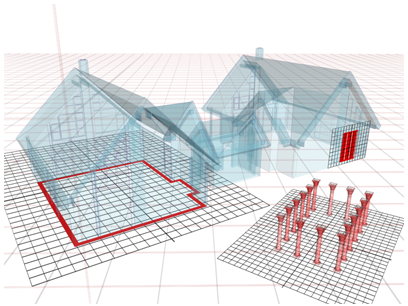
Different grids let you build objects with various orientations.
Grids have these primary uses:
- As an aid in visualizing space, scale, and distance.
- As construction planes where you create and align objects in your scene.
- As a reference system for using the Snap feature to align objects.
Home Grid and Grid Objects
3ds Max provides two kinds of grids: the home grid and grid objects. In addition, it includes the AutoGrid feature, an automated way of creating grid objects.
Home grid
The home grid is defined by three planes along the world X, Y, and Z axes. Each of these axes passes through the world coordinate system's origin point (0,0,0). The home grid is fixed; it cannot be moved or rotated.
- The home grid is visible by default when you start 3ds Max, but its display can be turned off.
- You can use any view of the home grid as a construction plane by drawing in the viewport in which the grid's view appears.
See Viewing and Navigating 3D Space for a complete introduction to the home grid.
Grid objects
A grid object is a helper object you can create whenever you need a local reference grid or construction plane somewhere other than the home grid.
- You can have any number of grid objects in your scene, but only one can be active at a time.
- When active, a grid object replaces the home grid in all viewports.
- Each grid object has its own set of XY, YZ, and ZX planes. You can freely move and rotate grid objects, placing them at any angle in space, or attach them to objects and surfaces.
- You can change a viewport to display a plan (top) view of any active grid object.
- Grid objects can be named and saved like other objects, or used once and deleted.
AutoGrid
This feature lets you create new objects and grid objects off the surfaces of other objects on the fly. See AutoGrid.