Field Helper
The Field Helper creates a volumetric field from either a procedural primitive or a watertight object in your scene. It can be used as an effector for tools from new various new Float and Point Field Probe controllers.
 Create panel >
  (Helpers) > Standard > Object Type rollout > Field
- Default menu: Create menu > Helpers > Field
- Alt menu: Objects menu > Helpers > Field
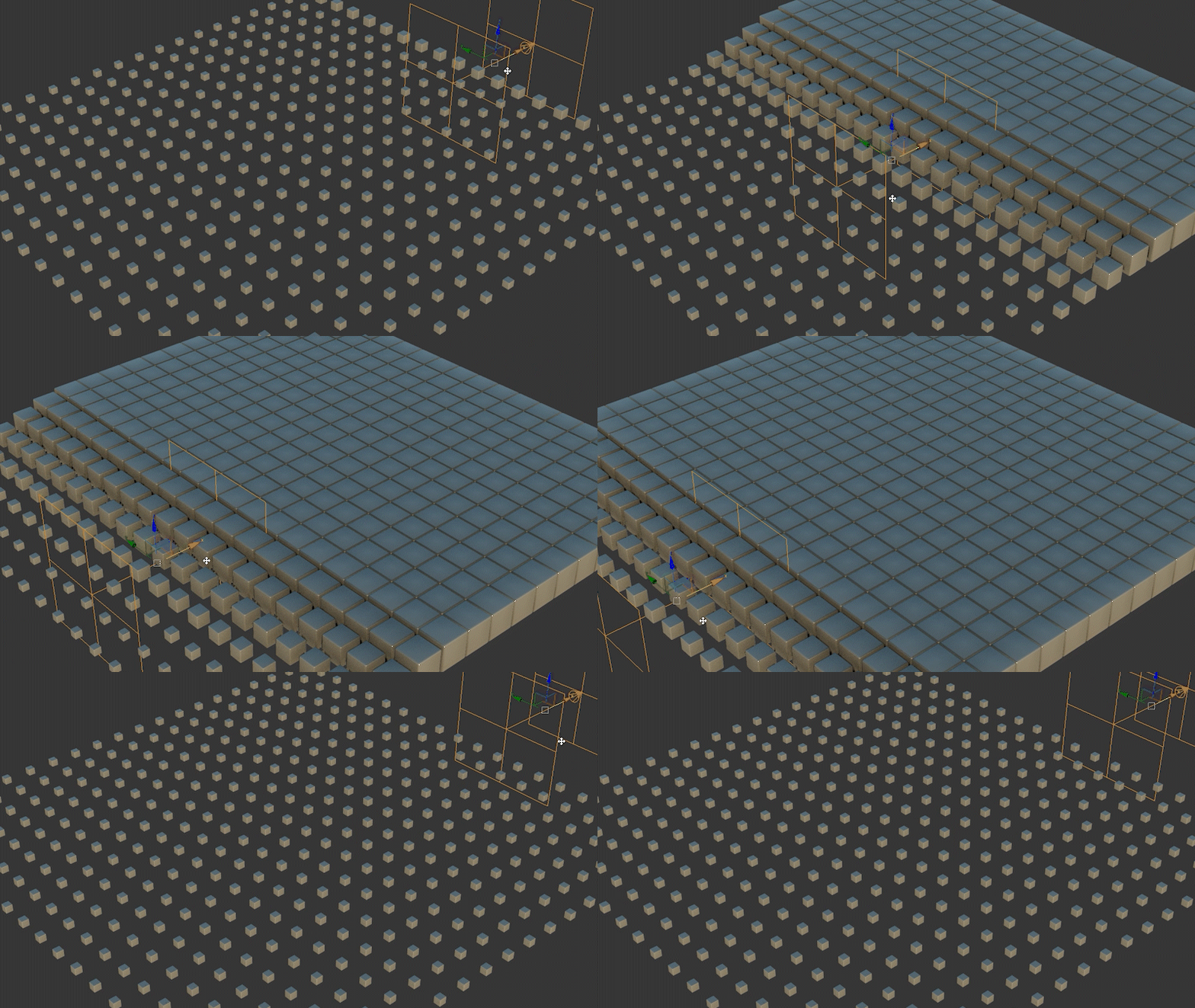
In Primitive mode, the Field Helper creates a volumetric field from a basic shape such as a Cube, Sphere, Cylinder, or Torus. This is useful for quickly defining an area of influence for selections or procedural effects. Use Size to control the overall volume, extend its influence with Falloff, and adjust the transition using Interpolation (Linear, Cubic, or SmoothStep). The Type setting determines whether the field outputs scalar values (Float or Normalized Float) or vector data (Point3).
In Object mode, the Field Helper generates a voxelized volume from a picked watertight mesh in the scene. This allows complex geometry to act as a volumetric influence. The Voxel Size parameter controls the sampling resolution - smaller values increase detail, while larger values improve performance. As in Primitive mode, the Type setting defines whether the field outputs scalar or vector data for use in selection and data-driven workflows.
The above effect was created using the following sample script, which scales the selected objects based on the Float value of a Field Helper named Field001.
fh = $Field001

for node in $selection do (
    ph = Point pos:node.pos
    hide ph

    cc = Float_Field_Probe_Control fieldNode:fh probeNode:ph

    node.scale.controller = ScaleXYZ()
    node.scale.controller.X_Scale.controller = cc
    node.scale.controller.Y_Scale.controller = cc
    node.scale.controller.Z_Scale.controller = cc
)
Using Field Helper with Volume Select
The Volume Select modifier supports Field Helper objects as effectors.
To use:
- Add a Volume Select modifier to an object.
- Assign the Field Helper as the selection object.
- Adjust the Field Helper 's Size, Falloff, and Interpolation to control selection behavior.
Field values determine the selection weighting.
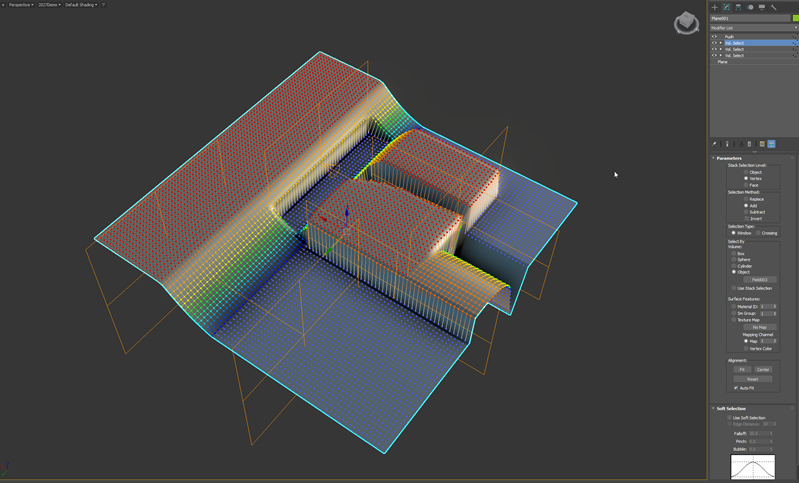
Field Helper with Volume Select
The Field Helper provides volumetric control for modeling, selection, and procedural workflows in 3ds Max.