Using Named Selection Sets
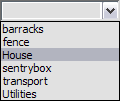
You can assign a name to the current selection, and then later reselect those objects by choosing their selection name from a list.
Named Selection Sets
 You can also edit the contents of named sets from the Named Selection Sets dialog.
Editing Named Selections
As you model and create a scene, you’re likely to rearrange the objects making up your named selection sets. If you do, you’ll need to edit the contents of those sets.
Procedures
To assign a name to a selection set:
Select one or more objects or sub-objects using any combination of selection methods.
Click in the Named Selection field on the main toolbar.
Enter a name for your set. The name can contain any standard ASCII characters, including letters, numerals, symbols, punctuation, and spaces.
Note: Names are case-sensitive.Press
Enterto complete the selection set.
You can now select another combination of objects or sub-objects and repeat the process to create another named selection set.
To retrieve a named selection set:
In the Named Selection field, click the arrow.
Note: If you're working with a sub-object selection set, you must be at the same level at which you created the selection set (for example, editable mesh > vertex) for it to appear on the list.On the list, click a name.
To edit named selection sets:
- On the main toolbar, click Edit Named Selection Sets to open the Named Selection Sets dialog.