Containers Preferences
The Containers panel sets preferences for using the Container feature; in particular, you can use the Status and Update settings to improve performance.
- Default menu: Customize menu > Preferences > Preference Settings dialog > Containers panel
- Alt menu: Customize menu > Customization > Preferences > Preference Settings dialog > Containers panel
Interface
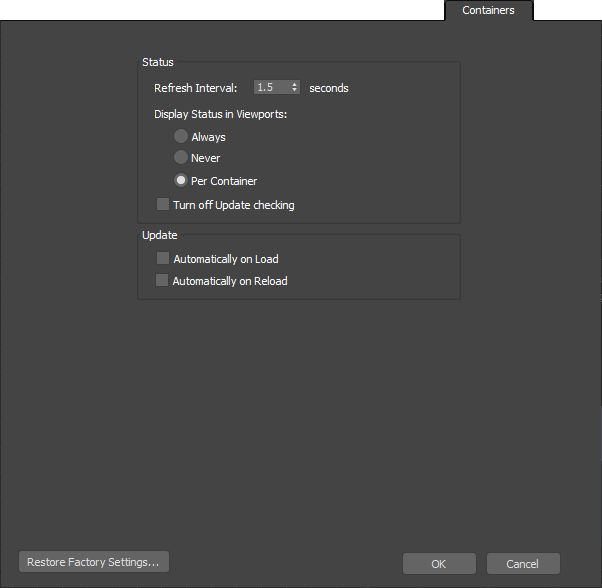
Status group
Refresh Interval
The frequency, in seconds, with which 3ds Max checks the source container file for updates.
Display Status in Viewports
Choose an option to define how to display the status (Unsaved, Open, and so on) of containers as text labels in the viewports:
- Always Displays the status of all containers in the scene constantly, disregarding each container’s individual Display > Status setting.
- Never Disables the display of all containers’ status labels in the viewport, disregarding each container’s individual Display > Status setting.
- Per Container Displays a container’s status only if its Display > Status setting is on.
Turn off Update checking
When on, 3ds Max does not monitor the source file to determine whether it has changed since inherited.
Update group
These settings determine whether 3ds Max performs an update automatically when you load or reload a container.
Automatically on Load
When on and you use the Load command on an unloaded container, 3ds Max automatically updates the container from the source file.
Automatically on Reload
When on and you use the Reload command on a local container, 3ds Max automatically updates the container from the source file.
This can be useful when you’ve inherited a container that uses the Only Add New Objects or Anything Unlocked rule and saved a local definition; the inherited content can still be updated from the source container.