Autodesk Assistant Preferences
On the Assistant panel of the Preference Settings dialog, you set the level of 3ds Max-specific tools that Autodesk Assistant can use. See Autodesk Assistant for 3ds Max for more information.
- Default menu: Customize menu > Preferences > Preference Settings dialog > Assistant tab
- Alt menu: Customize menu > Customization > Preferences > Preference Settings dialog > Assistant tab
Interface
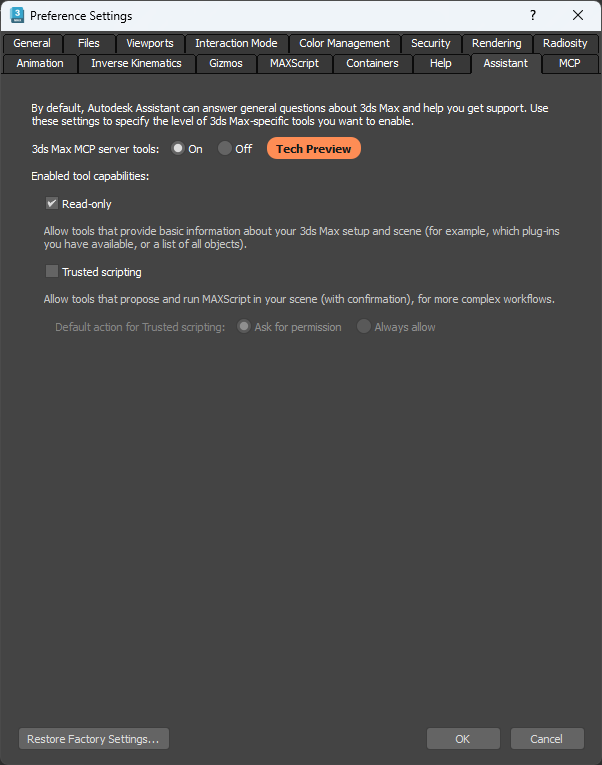
By default, Autodesk Assistant can answer general questions about 3ds Max and help you get support. Use these settings to specify the level of 3ds Max-specific tools you want to enable. For an overview, see MCP support in 3ds Max.
3ds Max MCP server tools (Tech Preview)
On lets Autodesk Assistant use 3ds Max-specific tools, as set in Enabled tool capabilities. Off turns these tools off.
Enabled tool capabilities
Read-only
Provides information about undo history.
Trusted scripting
Allows tools that propose and run MAXScript in your scene for more complex workflows.
When Trusted scripting is on, you can turn on Show script preview, so Autodesk Assistant shows you each script and waits for you to approve it before it runs.