Points Object
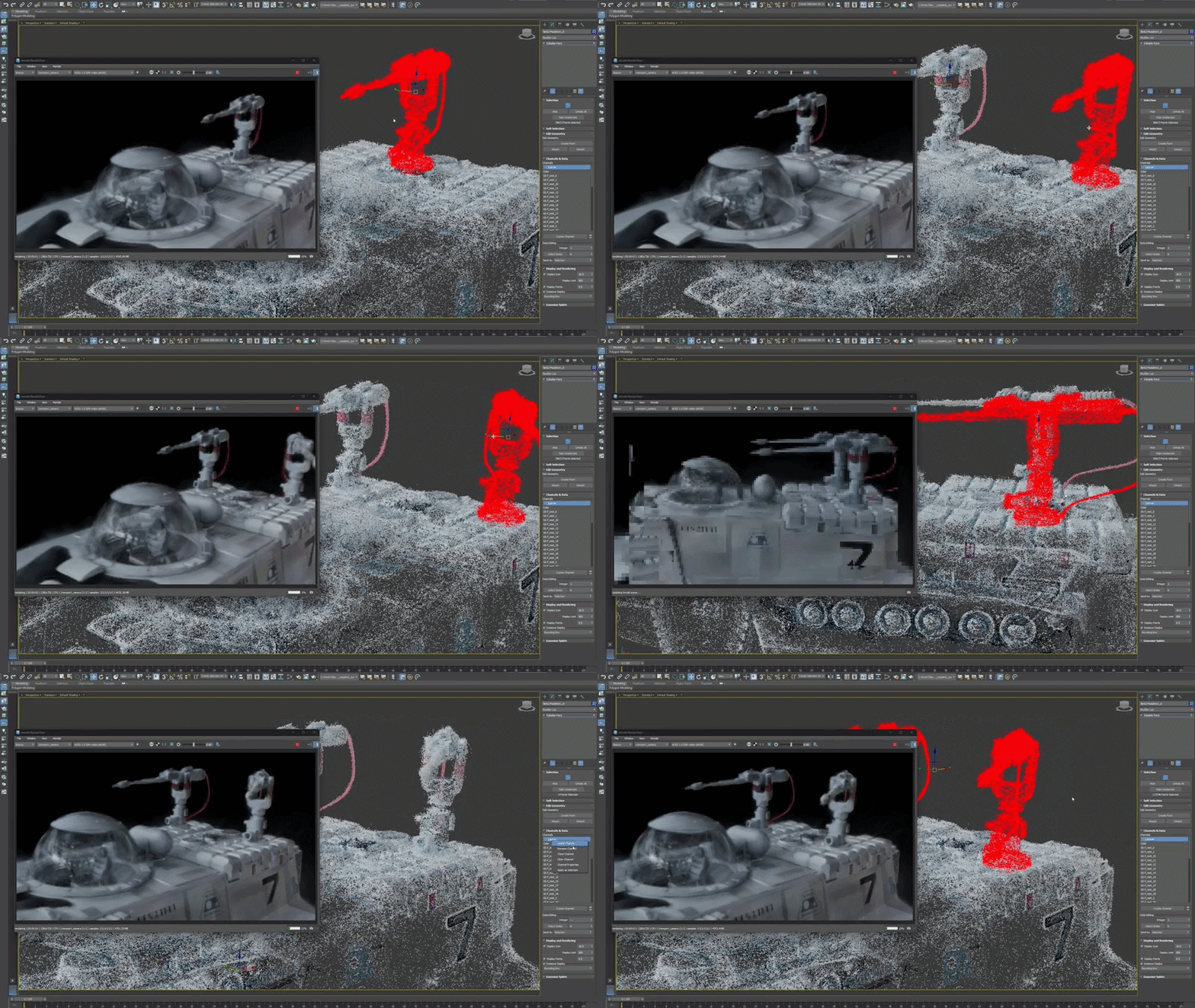
The Points object type acts as the foundation for 3DGS support in 3ds Max. Together with the Point Select and Turn to Point modifiers, it provides you with a complete toolset for point data manipulation. The Points interface updates to display parameters for the selected Point object type: Editable Point, Point Sphere, or Gaussian Splat.
To get started, select Points from the Geometry drop-down list in the Create panel and click one of the Point object type buttons to see its related parameters.
- Create panel > Geometry > Points
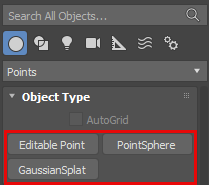
Interface: Editable Point
An Editable Point object is intended to hold or combine other Points objects. Creating an Editable Point object does not generate any points. The Editable Point interface appears in the following workflows:
- A new Editable Point object is created from the Create panel.
- Another object is converted to an Editable Point object, so editing can take place at the point sub-object level. For more information, see Edit 3DGS data.
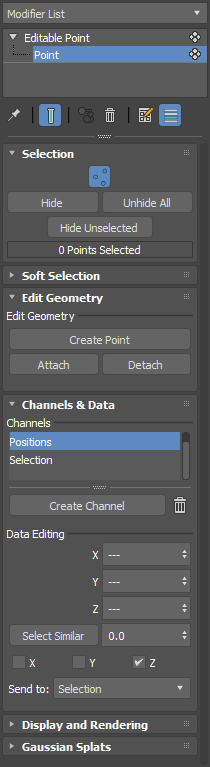
Parameters
Selection rollout
Point icon: Click
 to enter point sub-object mode, letting you select individual points in your 3DGS data.
Hide: Hides the selected point(s) from the viewport.
Note: This parameter does not delete the points, it only hides them.Unhide All: Displays all of the hidden point(s) in the viewport.
Hide Unselected: When a selection of points is made, all of the points that are not selected are hidden in the viewport.
Soft Selection rollout
Lets you select points using the Soft Selection controls. For more information about the controls, see Soft Selection Rollout.
Edit Geometry rollout
- Create Point: Lets you add points to existing 3DGS data.
- Attach: Lets you attach two different point objects together.
- Detach: Lets you create a new point object from a selection of points. When you make a selection of points and click Detach, the Detach dialog box appears, letting you name your new points object and optionally Detach as Clone. For more information on the Attach and Detach parameters, see Edit 3DGS data and Create separate 3DGS objects using detach.
Channels & Data rollout
- Channels List: Lists the available channels associated with the Editable Point object. Channels let you control a unique set of 3DGS data. When you click a Channel in the list, parameters appear in a Data Editing section.
- Create Channel: Lets you create a new channel for the selected Editable Point object, using the Create Channel window.
- Data Editing: The Data Editing section automatically populates with parameters related to the selected channel. For example, selecting a Color channel provides you with parameters to select a Color and Select Similar. When one point is selected, clicking Select Similar lets you quickly select an entire section of similarly colored points, like water or greenery. Increasing the percentage field expands the selection to include points with colors that are more dissimilar than the selection.
Display and Rendering rollout
For more information about the Display and Rendering rollout, see 3D Gaussian Splat (3DGS) in 3ds Max.
Interface: PointSphere
PointSphere creates a new sphere-like object that is represented by points.
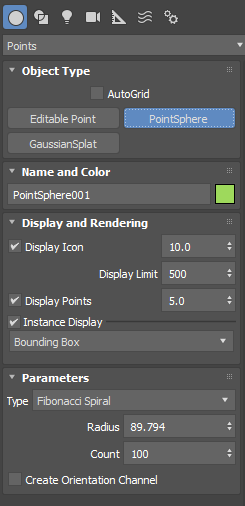
Parameters
Display and Rendering rollout
For more information about the Display and Rendering rollout, see 3D Gaussian Splat (3DGS) in 3ds Max.
Parameters rollout
- Type: By default, the type is Fibonacci Spiral, which distributes points uniformly over the sphere using the Golden Ratio.
- Radius: Adjusts the radius of the sphere.
- Count: Controls the number of points that are generated on the Point Sphere object.
- Create Orientation Channel: When turned on, creates an InstanceNormal channel that appears in the Channels list when you convert the Point Sphere object to an Editable Point object.
Interface: GaussianSplat
A Gaussian Splat object is a variant of the Editable Point object. It is intended to hold or combine other points objects instead of generating new points.
For more information on the Gaussian Splat parameters, see 3D Gaussian Splat (3DGS) in 3ds Max.