Spline Chamfer Modifier
Applies a fillet or chamfer to a spline using knots passed up the modifier stack. The fillet or chamfer output result is then computed based on the incoming and outgoing vectors of a knot point.
- Select a spline. >
 Modify panel > Modifier List > Object Space Modifiers > Spline Chamfer
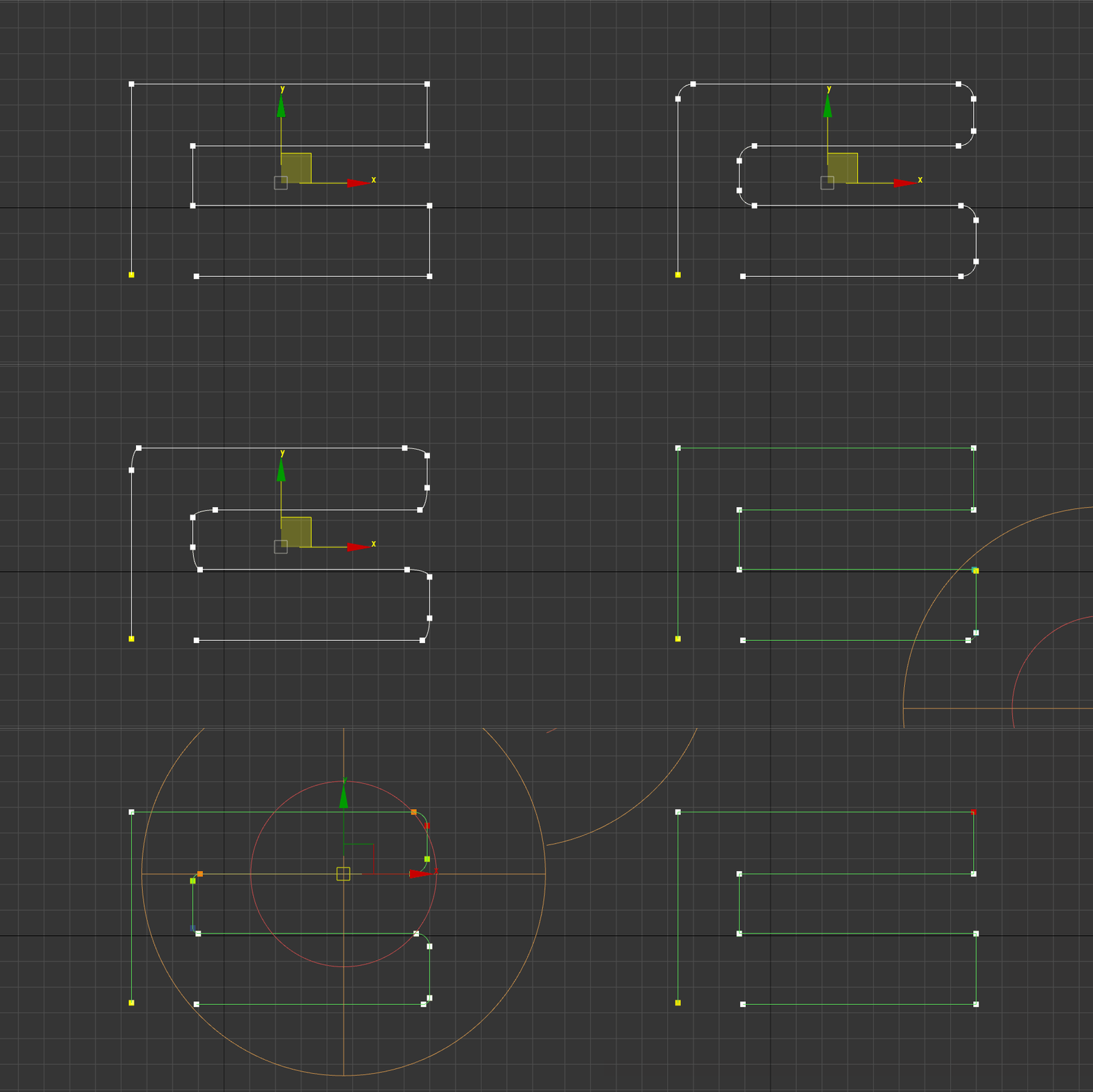
Interface
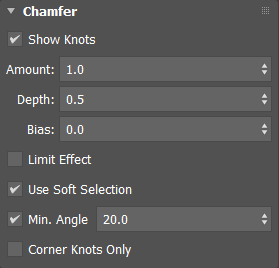
Chamfer rollout
Show Knots
Displays knots on the spline.
Amount
Sets the width of the chamfer in distance units.
Depth
Controls the fixed depth of the chamfer:
- A depth of 1.0 will produce a sharp corner on convex edges.
- A depth of 0.0 will produce a flat result.
- A depth of -0.5 will produce a concave curve along a convex edge.
Bias
Biases the chamfer towards or away from the knot.
Limit Effect
When enabled, prevents the overshooting of edges by restricting the distance chamfered sub-objects can travel towards each other. When Limit Effect is on, increasing the Amount setting past a certain value (based on existing geometry) has no effect.
Use Soft Selection
Uses any selected knots below the stack to influence the chamfer operation. If no knots are selected, all knots are affected.
Min. Angle
Sets a minimum angle for applying the chamfer.
Corner Knots Only
When enabled, only corner knots are affected by the operation.