Spherify Modifier
The Spherify modifier distorts an object into a spherical shape. This modifier has only one parameter: a Percent spinner that deforms the object, as much as possible, into a spherical shape.
- Select an object. >
 Modify panel > Modifier List > Object Space Modifiers > Spherify
 - Default menu: Select an object. > Modifiers menu > Parametric Deformers > Spherify
- Alt menu: Select an object. > Modifiers menu > Geometry (Parametric) > Spherify
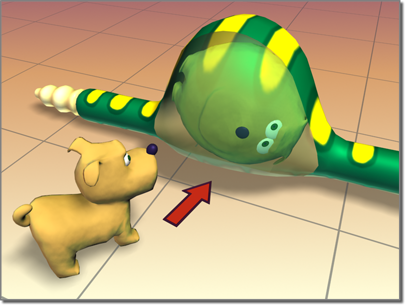
Spherify shapes the dog inside the snake.
The success of the operation depends on the topology of the geometry to which it's applied. For example, a cylinder with no height segments will result in little change. Adding height segments will result in a barrel at 100 percent. Adding cap segments will produce a sphere.
Try this on a teapot.
Procedures
Example: To use the spherify modifier to distort a teapot:
 Click Create > Geometry > Standard Primitives > Teapot.
Create a teapot in the viewports.
- On the Modify panel, choose Spherify from the Modifier List.
The teapot should now look like a sphere.
Adjust the Percent setting to less than 100%.
Example: To animate spherifying a teapot:
- Click Create > Geometry > Standard Primitives > Teapot.
- Create a teapot in the viewports.
- On the Modify panel > Modifier List, choose Spherify.
- Turn on
 .
. - Set the Spherify Percent to 0.
- Drag the time slider ahead to frame 30.
- Set the Spherify Percent to 100.
- Turn off
 .
. - Drag the time slider to play the animation, or click
 (Play Animation).
Interface
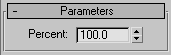
Percent
Sets the percentage of spherical distortion to apply to an object.