Enhanced Point Object Editing
New modifiers and a point segmentation tool make point editing faster, simpler, and more flexible.
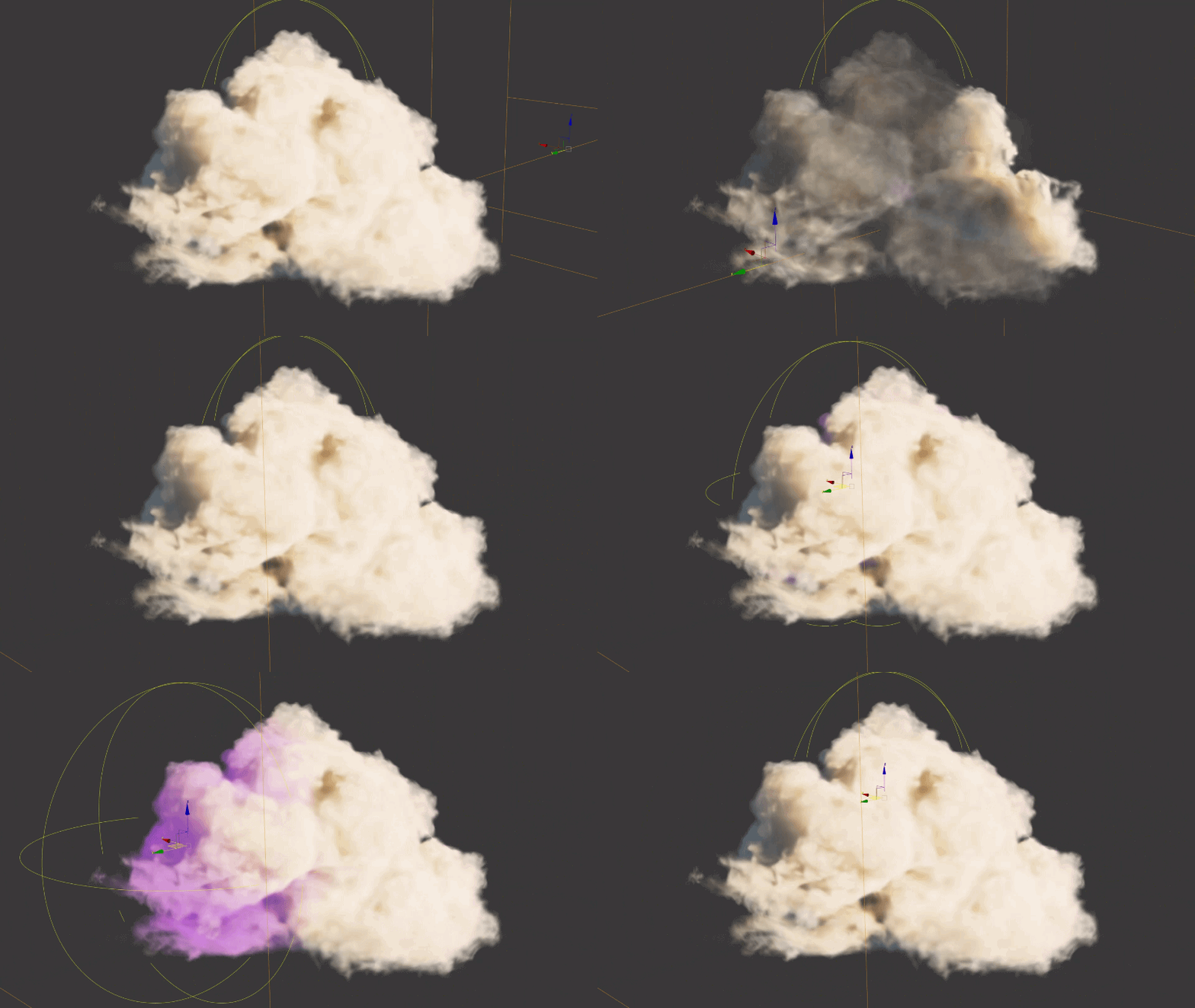
3ds Max 2027.3 introduces new tools for managing and editing point objects and 3DGS scenes, giving you more control over large or complex point data. Quickly break oversized scenes into organized, exportable pieces, flatten scattered or instanced point data for easier editing, and make non-destructive edits through the modifier stack.
Point Segmentation tool: The Point Segmentation tool (Tools > Points and 3DGS > Segment Point Object) breaks large 3DGS scenes or point objects into smaller Editable Point objects. It segments the data using an XY grid and additional user-defined options. It works like the Detach option available in the Editable Point parameters. However, while Detach requires you to select points manually in a multi-step workflow, the Point Segmentation tool performs the same action without any manual point selection. It creates a named, spatially organized set of tiles ready for export. You can also segment PLY and SPZ files into multiple objects as you import them. See Create separate 3DGS objects using the Point Segmentation tool and Segment 3DGS objects on import.
Point Flatten Modifier: Flattens point data on the object it's applied to, so you can edit each point separately when working with a scattered or instanced set of points. Use it to simplify a stack of points, adjust lower sections of the stack non-destructively, or edit the instanced object's point data. See Point Flatten Modifier.
Edit Point Modifier: Provides non-destructive, layer-based editing of your point object data through the modifier stack, with similar options to the Editable Point object. It's the point equivalent of using the Edit Poly modifier with Editable Poly objects. See Edit Point Modifier.
Delete Points Modifier: Deletes or disables points based on the selected targeting parameter, like a soft selection, a named selection, or a point's color. See Delete Points Modifier.
Affect Channel Modifier: Uses an ordered list of operations to read, generate, and write channel data on a Points or 3DGS object, letting you combine several actions in a single modifier instead of using multiple modifiers. These operations give you more procedural control over your point or 3DGS data. Included presets show examples of operations that work directly on the point data, or that use an object like a Field Helper to drive changes. See Affect Channel Modifier.
Static Instancing in the Point Instance Modifier: Each reference object in the Point Instance modifier now has a Static Instance parameter, which is on by default. When it's on, the instances are a snapshot of the source object's geometry, and 3ds Max doesn't check the source for changes. This improves viewport performance with dense meshes, especially in wireframe display modes. After you change a source object, click the new Update button to refresh its instances. See Point Instance Modifier.
New Point and Gaussian Splat object support: The Mirror, Slice, and Symmetry modifiers now support Points and Gaussian Splat object types. For more information on specific workflows, see Mirror Modifier, Slice Modifier, or Symmetry Modifier.
Related documentation
To explore specific workflows, see the following: