Opens the Geometry Cleanup palette which displays potential gap, overshoot, undershoot, and angular errors for the current drawing.
The Geometry Cleanup palette provides tools to select objects, configure settings, run error detection, and review or fix found geometry issues. Use this palette to maintain drawing precision and resolve common drafting errors.
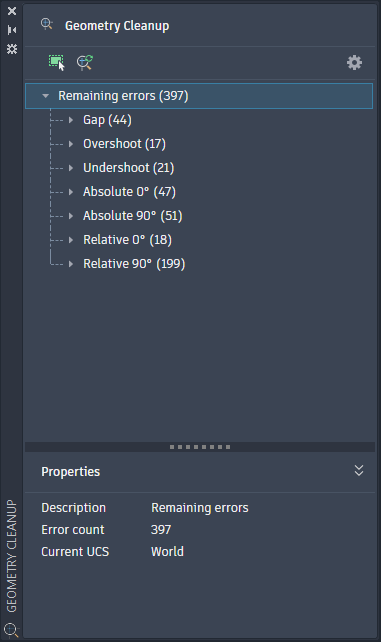
List of Options
The following options are displayed.
- Select Objects
-
Defines which objects in your drawing will be scanned for geometry errors.
- Rescan
-
Scans the current drawing or selection for geometry errors using the current settings.
- Settings
-
Opens the Geometry Cleanup Settings dialog box, where you can configure which error types to detect and set tolerances.
- Remaining Errors
-
Displays all detected errors of the current drawing or selection organized in a tree view. Error types can include, Gap, Overshoot, Undershoot, Absolute Angle, and Relative Angle.
- Properties Panel
-
Displays properties of the selected error.