Learn how to view, navigate, and make changes based on a system analysis.
When your system analysis is complete, the result are reported at the system level, and as object categories: Inflows, Connections, Structures, and Stormwater Controls.
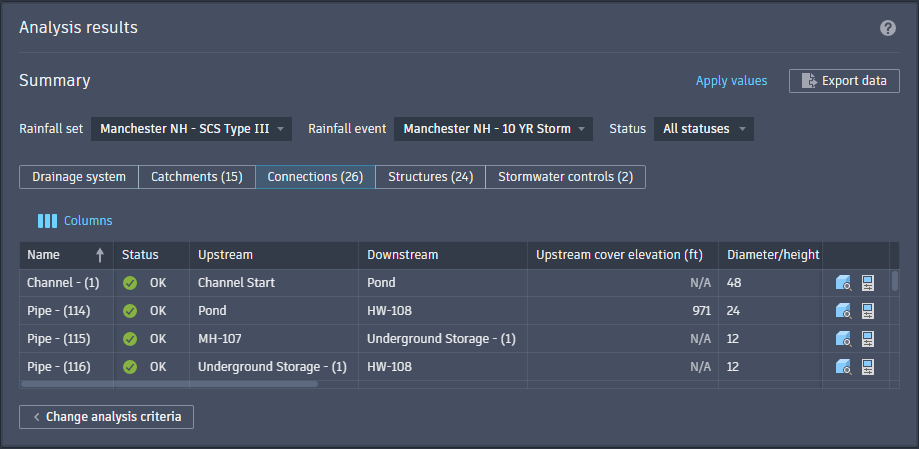
To Adjust How You View the Data
Use the filters at the top of the Analysis Results to isolate analysis data.
- Rainfall Set. Isolates data of a specific rainfall set.
- Rainfall Event. Isolates data of a specific rainfall event.
- Status. Isolates objects with a specific result status or warning.
- Show/Hide Columns. Click
 Columns to specify what available columns of data are displayed on the current analysis page.
To Review and Modify your Drainage System
Much like the initial system check for errors and warnings, you can step through individual objects in your drainage system and adjust for potential problematic issues. Each category (displayed as tabs above the data table) has its own unique analysis data and status warnings. Step through any requiring attention and use the following tools for correction.
The Topics in this section listing below details each analysis tab.