|
Python Reference Guide
|

|
|
Python Reference Guide
|
|
Viewer - Panes Layout Mode.b> DEPRICATED use ParallelEvaluation on FBEvaluateManager insteadAvailable DAG parallel schedule algorithm. More...
#include <pyfbsdk_generated.h>
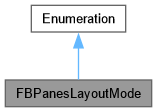
Public Attributes | |
| kFBOnePane | |
| One pane in the Viewer. | |
| kFBTwoPanesVertical | |
| Two panes in the Viewer displayed vertically (left-right). | |
| kFBTwoPanesHorizontal | |
| Two panes in the Viewer displayed horizontally (top-bottom). | |
| kFBThreePanesSplitTop | |
| Three panes in the Viewer, two at the top, one at the bottom. | |
| kFBThreePanesSplitBottom | |
| Three panes in the Viewer, one at the top, two at the bottom. | |
| kFBThreePanesSplitLeft | |
| Three panes in the Viewer, two on the left side, one on the right side. | |
| kFBThreePanesSplitRight | |
| Three panes in the Viewer, one on the left side, two on the right side. | |
| kFBFourPanes | |
| Four panes in the Viewer. | |
Viewer - Panes Layout Mode.b> DEPRICATED use ParallelEvaluation on FBEvaluateManager insteadAvailable DAG parallel schedule algorithm.
| kFBFourPanes |
Four panes in the Viewer.
| kFBOnePane |
One pane in the Viewer.
| kFBThreePanesSplitBottom |
Three panes in the Viewer, one at the top, two at the bottom.
| kFBThreePanesSplitLeft |
Three panes in the Viewer, two on the left side, one on the right side.
| kFBThreePanesSplitRight |
Three panes in the Viewer, one on the left side, two on the right side.
| kFBThreePanesSplitTop |
Three panes in the Viewer, two at the top, one at the bottom.
| kFBTwoPanesHorizontal |
Two panes in the Viewer displayed horizontally (top-bottom).
| kFBTwoPanesVertical |
Two panes in the Viewer displayed vertically (left-right).
 1.13.2