Note: Smooth Skin Weights is not available when skin layers are present.
- Method
- Specifies the smoothing method.
-
- Skin Tools
- Uses the Skin Tools smoothing method. This is the default.
-
- Legacy
- Uses the legacy smoothing method. Select Legacy to access Smooth Threshold.
-
- Smooth Threshold
- Specifies the minimum weight difference between neighboring components required to trigger smoothing. Smaller values result in more components being smoothed.
- Iterations
- Sets the number of times the smoothing algorithm is run. Increasing the number of iterations increases the amount of smoothing and the time required to process the operation. The default value is 5.
- Preview
- When on, the vertices that will be smoothed by the Smooth Skin Weights operation highlight yellow in the scene view when you click Apply.
- Obey Max Influences
- When Maya encounters weights that are near zero, the weights are pruned to provide efficient processing. Activate this option to ensure that if any of your smoothed weights are small, Maya always refers to the influence weight you specified in the Set Max Influences dialog in the Edit Influences Menu. This is important when you require a fixed number of weights. This setting is active by default.
- Skin Cluster
-
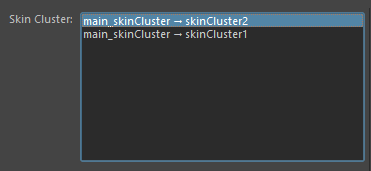
The Skin Cluster list contains all the skin clusters associated with the currently selected geometry
- The Skin Cluster area lets you select individual skin clusters on geometry that have more than one or more skin cluster applied.
-
- Skin Cluster list
- Skin clusters on the selected geometry appear here.
Note: If no skin cluster are found this list remains empty. Select geometry to update the list.
- The most recently added skin cluster appears at the top of the list.
See Smooth skin weights.