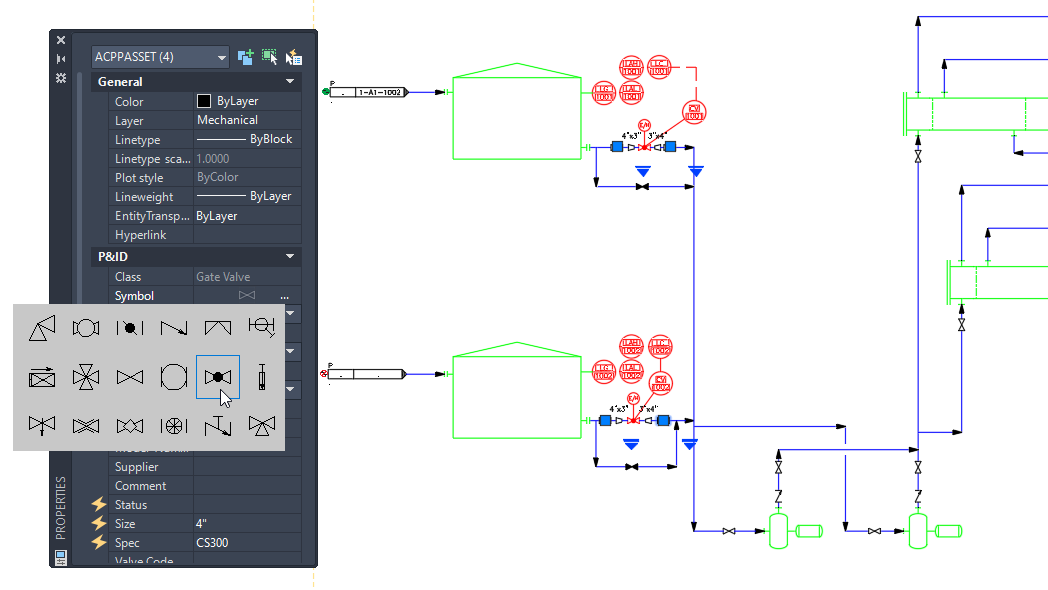
Similar components or lines can be substituted using the Properties palette. All components within the same class are available for substitution in the Substitution panel.
- In the drawing area, select the multiple components to be replaced.
- Open the Properties palette. Under the Symbol property, click the ellipsis (…) button to open the Substitution panel.
Note: The Symbol property displays VARIES when multiple components with different symbols are selected.
- In the Substitution panel, select the item to use as the replacement.