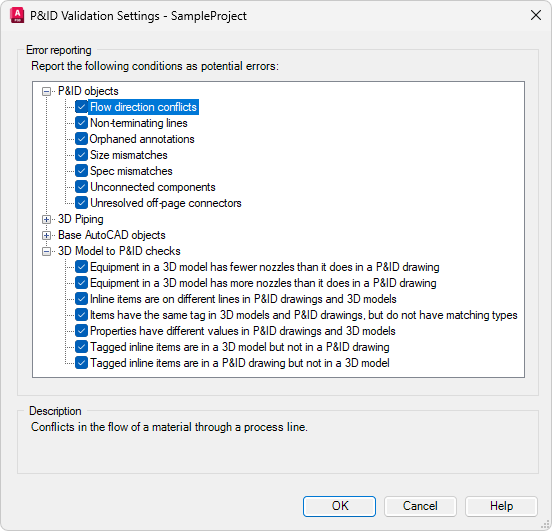
Regular validation helps identify common errors in project drawings and models. For each project, the types of errors to be flagged can be specified before running a validation. After validation, detected errors can be reviewed and either corrected or ignored.
There are three types of validation:
- P&ID Objects - Checks for duplicated tags, size mismatches, spec mismatches, non-terminating lines, unconnected components, flow direction conflicts, orphaned annotations, and unresolved off-page connectors in P&ID drawings.
- 3D Piping - Checks for disconnected parts, duplicated tags, placeholder parts, and property mismatches in 3D piping models.
- 3D Model to P&ID Checks - Validates a 3D piping model to ensure it is synchronized with its associated P&ID drawing.
The first two types focus on identifying errors within individual drawings or models.
The third type addresses discrepancies between a P&ID drawing and its corresponding 3D model. Although Plant 3D objects and their P&ID counterparts may represent the same logical components, they do not share data directly. P&ID data and Plant 3D data are stored separately in the project database. As a result, changes made in a P&ID drawing are not automatically reflected in the 3D model.
To identify and resolve inconsistencies, the 3D model can be validated against the associated P&ID drawing at any time.
When validating a project, inconsistencies between 3D models and their associated P&ID drawings are identified. Validation is performed across both representations, regardless of whether the process is initiated from the P&ID drawings or the 3D models.