Add to Selection Functionality for Instruments and Instrument Lines
When selecting instruments or instrument lines, you can now include related instruments in the selection for batch operations, such as moving, removing, or modifying properties simultaneously.
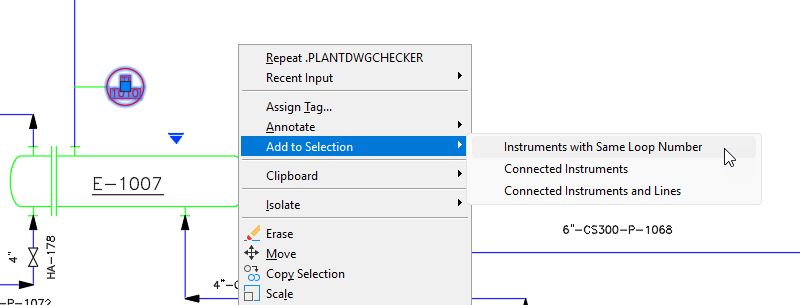
The following describes the conditions under which the new selection behaviors occur and the additional actions available:
- Instruments with the Same Loop Number: All instruments with the same loop number as the selected instrument are added to the selection.
- Connected Instruments: All instruments connected to the selected instrument through an instrument line are added to the selection.
- Connected Instruments and Lines: All instruments and instrument lines connected to the selected instrument are added to the selection.
- Instruments: Right-click selected instruments in a P&ID drawing and choose Add to Selection from the shortcut menu.
- Instrument Lines: Right-click selected instrument lines in a P&ID drawing and choose Add to Selection from the shortcut menu. Then choose Connected Instruments and Lines to add all connected instruments and instrument lines to the selection.
Substitute One or More Components from the Properties Palette
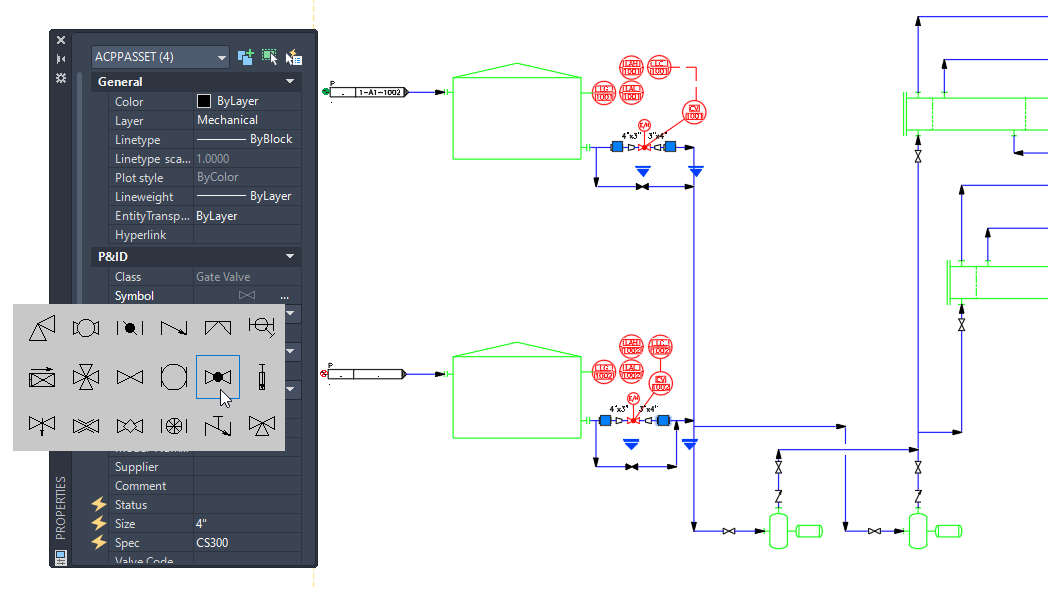
In addition to substituting a single component using the substitution grip, you can now replace one or more selected components directly from the Properties palette.
If a component is selected in the drawing and the Properties palette is displayed, a new Symbol property shows a preview of the selected symbol. Click the ellipsis button (…) next to the Symbol property to open the Substitution panel, where you can select a different component.
When multiple components are selected, all selected components are replaced with the same component simultaneously.
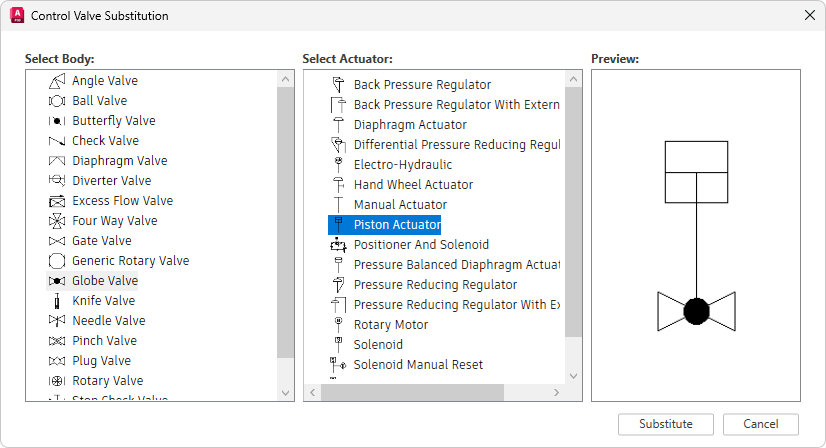
During substitution of one or more control valves, the Control Valve Substitution dialog box opens, allowing you to switch to a different valve body, a different actuator, or both.