Place free form reinforcement aligned distribution into concrete elements with any geometry.
You can place free form rebar aligned distribution by selecting single or multiple face references in any view. This example shows free form rebar aligned distribution placement in a 3D view.
- Click Concrete tab
 Reinforcement panel
 (Path).
-
Click Modify | Place Rebar
Distribution panel
 (Aligned).
- Specify a rebar type in the Properties palette.
- In the drawing area, select the surface of the element that will host the free form rebar. You can select one or several faces of the concrete host.
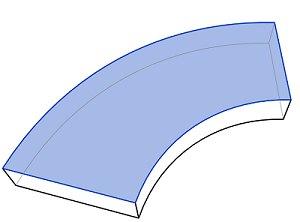
- Click Modify | Place Free Form Rebar Next panel
 (Path). Select an edge of the element.
Note: Alternatively, you can press the space bar to continue selecting the distribution path.
(Path). Select an edge of the element.
Note: Alternatively, you can press the space bar to continue selecting the distribution path.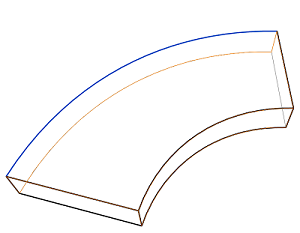
Optionally, you can select Vertical for the Bar Alignment parameter in the properties palette or choose one of the other options for bar alignment, for which you also need to select a face. See Free Form Rebar Alignment Options.
- Rebar will populate the host as defined by the reference surfaces and predefined properties.
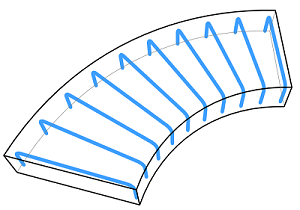
- Press Esc to exit the Free Form Rebar placement mode.
Note: If you want to select multiple faces or path segments, be sure to click Modify | Place Rebar Multiple Selection panel
 (Select Multiple).
Multiple Selection panel
(Select Multiple).