Create walls hosted on other walls to maintain alignment and coordinated behavior. Hosted walls follow their host’s geometry and support offsets, rehosting, scheduling, and view control.
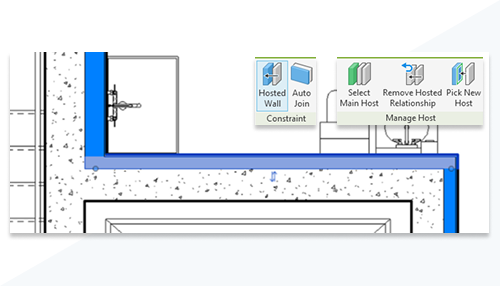
Create walls that are hosted on other walls and maintain an explicit host relationship. Hosted walls follow the geometry, movement, and rotation of their host, helping you model layered or finish wall conditions while preserving alignment and intent.
When Hosted Wall is enabled, you can place hosted walls by selecting existing walls using Place by Room or a single wall using Place by Segment. Use Auto Join to allow doors and windows to penetrate both the host and hosted wall.
This feature is described on the product road map.
See About Hosted Walls.