Accelerated Graphics transitions from Tech Preview status to a fully supported capability.
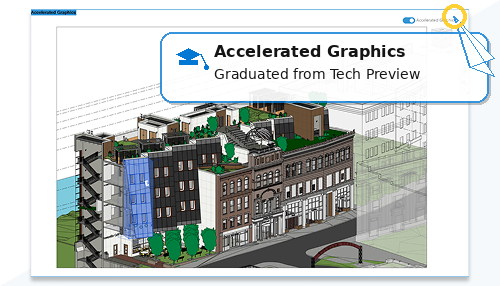
Following continued performance improvements, expanded visual support, enhanced linked model handling, and improved 3D workflows, Accelerated Graphics is now production-ready for modeling and navigation tasks.
All Tech Preview language has been removed from the user interface. The workflow to enter and use Accelerated Graphics mode remains unchanged.
Accelerated Graphics is recommended for modeling and navigation workflows. Some view documentation capabilities and visual effects may not be supported in this mode.
- Section Box and View Extents in Accelerated Views (What's New in 2027)
- Halftone Settings in Accelerated Views (What’s New in 2027)
- Transparency Overrides for Elements in Accelerated Views (What’s New in 2027)
- Improved Performance and Quality of Linked Models in Accelerated Views (What’s New in 2027)
- Tech Preview: Image Background in Accelerated Views (What’s New in 2026.4)
- Tech Preview: Seamless Activation of Accelerated Views (What’s New in 2026.3)
- Tech Preview: Display Selected Elements as Transparent in Accelerated Views (What’s New in 2026.2)
- Tech Preview: Faster Orbiting in Accelerated 3D Views (What’s New in 2026.2)
- Tech Preview: Crop Accelerated Views (What’s New in 2026.2)
- Tech Preview: Improved RAM Consumption for Accelerated Views (What’s New in 2026.1)
- Tech Preview: Faster Activation of Accelerated Views (What’s New in 2026.1)
- Tech Preview: Accelerated Graphics (What’s New in 2026)
Built on modern graphics components, Accelerated Graphics leverages advanced hardware (when system requirements are met) to improve overall responsiveness.
- A walkthrough playback in a 300-frame sample model with all RVT links loaded is:
- 25% faster than the previous Accelerated Graphics Tech Preview
- 500% faster than standard Revit views
- Here’s the different time result comparison between Revit 2027, Revit 2026 with Accelerated Graphics Tech Preview, and Revit 2027 with Accelerated Graphics:
Revit 2027 Revit 2026 with Accelerated Graphics Tech Preview Revit 2027 with Accelerated Graphics 00:03:18 00:00:50 00:00:38
Configuration and Control
- Enter Accelerated Graphics mode for improved performance during modeling and navigation tasks.
- Use the on-screen toolbar or right-click menu to toggle the mode.
- Configure interaction preferences.
Accelerated Graphics can be enabled or disabled globally from the Graphics tab in the Options dialog.
All settings are saved in the Revit.ini file.
See Accelerated Graphics.