Control whether linked models use host or linked line weight tables to achieve more consistent graphics across views when working with Revit links.
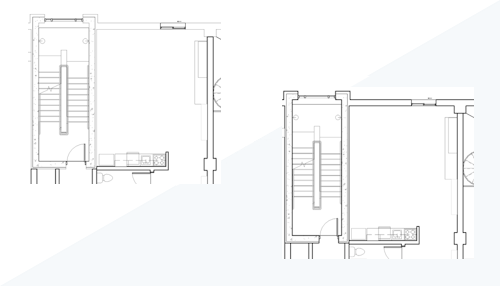
You can now specify whether linked models use the host model’s or the linked model’s line weight table. This improves visual consistency when host and linked models use different line weight definitions for the same Object Styles. Access the Line Weights control in the RVT Link Display Settings dialog. For example, in the image above, the line weight for wall elements differs in the link and the host, but can be set to display with the same line weight.
See Use Custom Settings to Display Linked Models.
 This feature was suggested by customers on the
Ideas forum and is described on the
product road map.
This feature was suggested by customers on the
Ideas forum and is described on the
product road map.